Stream SQL Server changes to Solace PubSub+
Gluesync can publish every change of a table as a message on Solace PubSub+, so applications subscribe to the events they need instead of polling the database. This guide streams a SQL Server table to a PubSub+ broker: it prepares a broker user and a queue that keeps the messages, connects the Solace agent, starts the entity, reads the messages of a snapshot and of live changes, then adds a topic prefix and the before image of each change.
In this guide
You will learn how to create a client username and a durable queue on the broker, create the Solace PubSub+ target in the Control Plane, choose the topic of an entity, read what Gluesync publishes for inserts, updates, deletes and the snapshot, put a prefix in front of every topic, add the previous values of each row, and recognise the errors for a wrong password and an invalid prefix.
The steps were run on SQL Server 2022 as the source and Solace PubSub+ Standard as the target.
Quick information
Goal |
Publish the changes of a SQL Server table to Solace PubSub+ topics and check every message on the broker |
Audience |
Data engineers and integration developers |
Level |
Intermediate |
Time required |
About 30 minutes |
Area |
Solace PubSub+ broker; Control Plane → Pipelines |
Applies to |
Gluesync 2.3 |
Before you begin
Make sure that:
-
A SQL Server source is ready for CDC: the database and the table have CDC enabled, and SQL Server Agent runs. See Set up a SQL Server CDC source;
-
Core Hub can reach the broker on its SMF port,
55555by default; -
You can administer the broker, in PubSub+ Broker Manager or with SEMP, to create a client username and a queue;
-
You have a Solace client to read messages from a queue, for example a short program with a Solace API.
How Gluesync publishes
Every change goes to a topic built from the entity’s Target Topic and the operation. With a Topic prefix, the prefix comes first:
| Change | Topic |
|---|---|
Insert |
|
Update, and every row of a Keep and merge snapshot |
|
Delete |
|
Each message carries the property key, for example orders::1003, and a JSON body with the same key and a value that holds after (the row), keys, op (i, u or d), ts_ms and, for live changes, transaction.
|
Solace keeps no message for a topic that nobody subscribes to. Create the queue and its subscription before you start the entity, or the snapshot is lost. |
Guide steps
CLI
Create a client username for Gluesync and a durable queue that keeps the messages of the topics you will publish. With SEMP v2 on the broker’s management port (8080 here), on the Message VPN default:
SEMP=http://<broker>:8080/SEMP/v2/config/msgVpns/default

# the VPN checks usernames and passwords stored on the broker
curl -u admin:<admin password> -X PATCH $SEMP \
  -H 'Content-Type: application/json' -d '{"authenticationBasicType":"internal"}'

# the Gluesync user
curl -u admin:<admin password> -X POST $SEMP/clientUsernames \
  -H 'Content-Type: application/json' \
  -d '{"clientUsername":"gluesync","password":"<password>","enabled":true}'

# a queue that keeps every change of the orders topic, with or without the prefix used later
curl -u admin:<admin password> -X POST $SEMP/queues -H 'Content-Type: application/json' \
  -d '{"queueName":"gluesync-orders","accessType":"exclusive","permission":"consume","ingressEnabled":true,"egressEnabled":true}'
curl -u admin:<admin password> -X POST $SEMP/queues/gluesync-orders/subscriptions \
  -H 'Content-Type: application/json' -d '{"subscriptionTopic":"orders/>"}'
curl -u admin:<admin password> -X POST $SEMP/queues/gluesync-orders/subscriptions \
  -H 'Content-Type: application/json' -d '{"subscriptionTopic":"acme/erp/>"}'
You can create the same objects in PubSub+ Broker Manager instead.
|
Subscribe the queue to |
UI
-
In the pipeline wizard, after the SQL Server source, search for
Solaceand select Solace PubSub+; -
Fill in Host name / Address (here
solace), Port (55555), VPN name (default), Username (gluesync) and Password; -
Select Test and continue, then name the pipeline, here
OrdersToSolace, and select Finish.
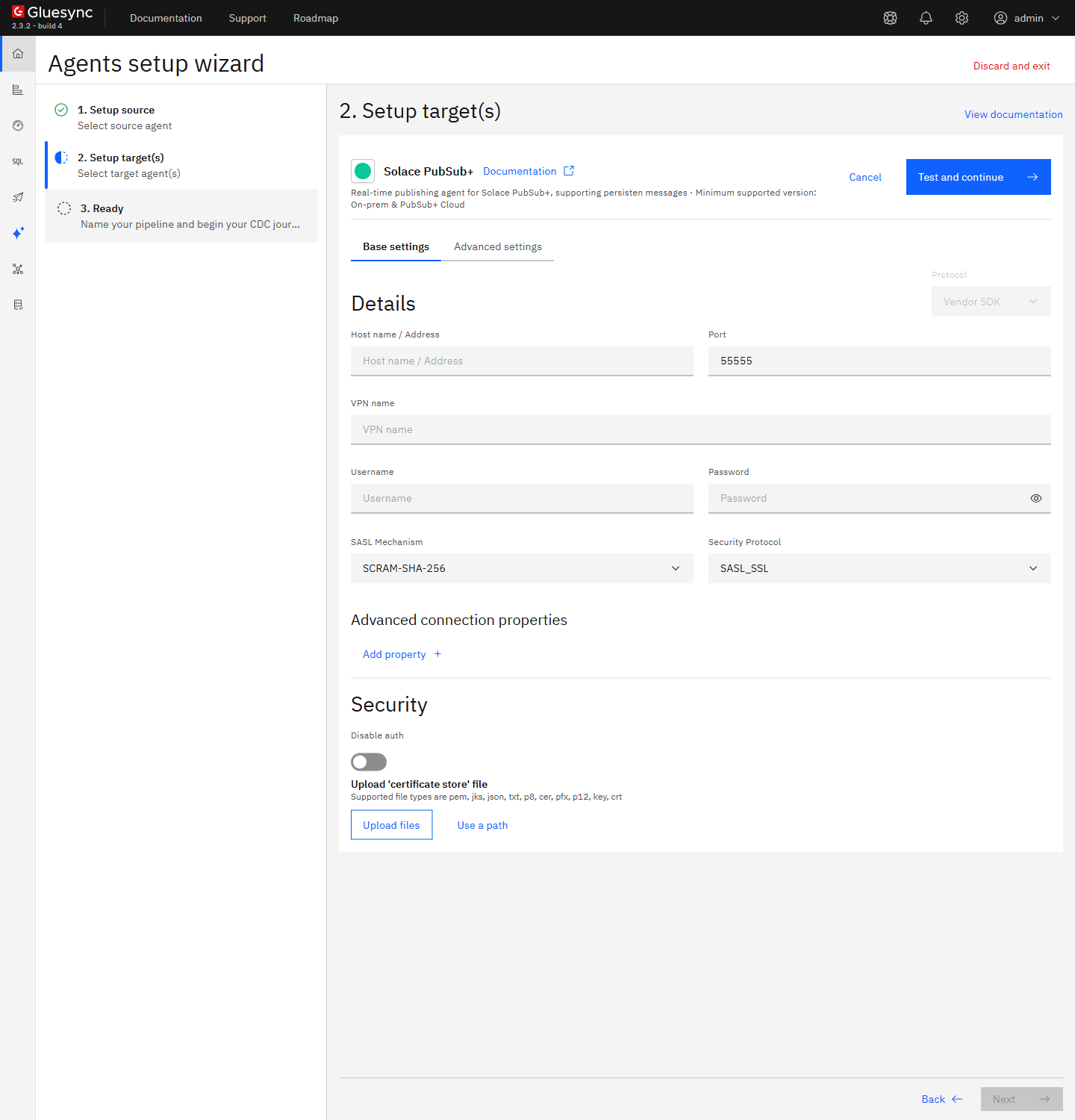
|
SASL Mechanism and Security Protocol are not used by the Solace agent: the test passed against a broker without TLS while they showed |
UI
-
Open the pipeline and select Entities +;
-
In the Object browser, expand
dboand checkorders. The entity is created asdbo.orders → orders; -
Select the field mapping icon of the entity to check it. Target Topic is the first level of every topic, here
orders; type another name to change it; -
Select Confirm, then Confirm and continue.
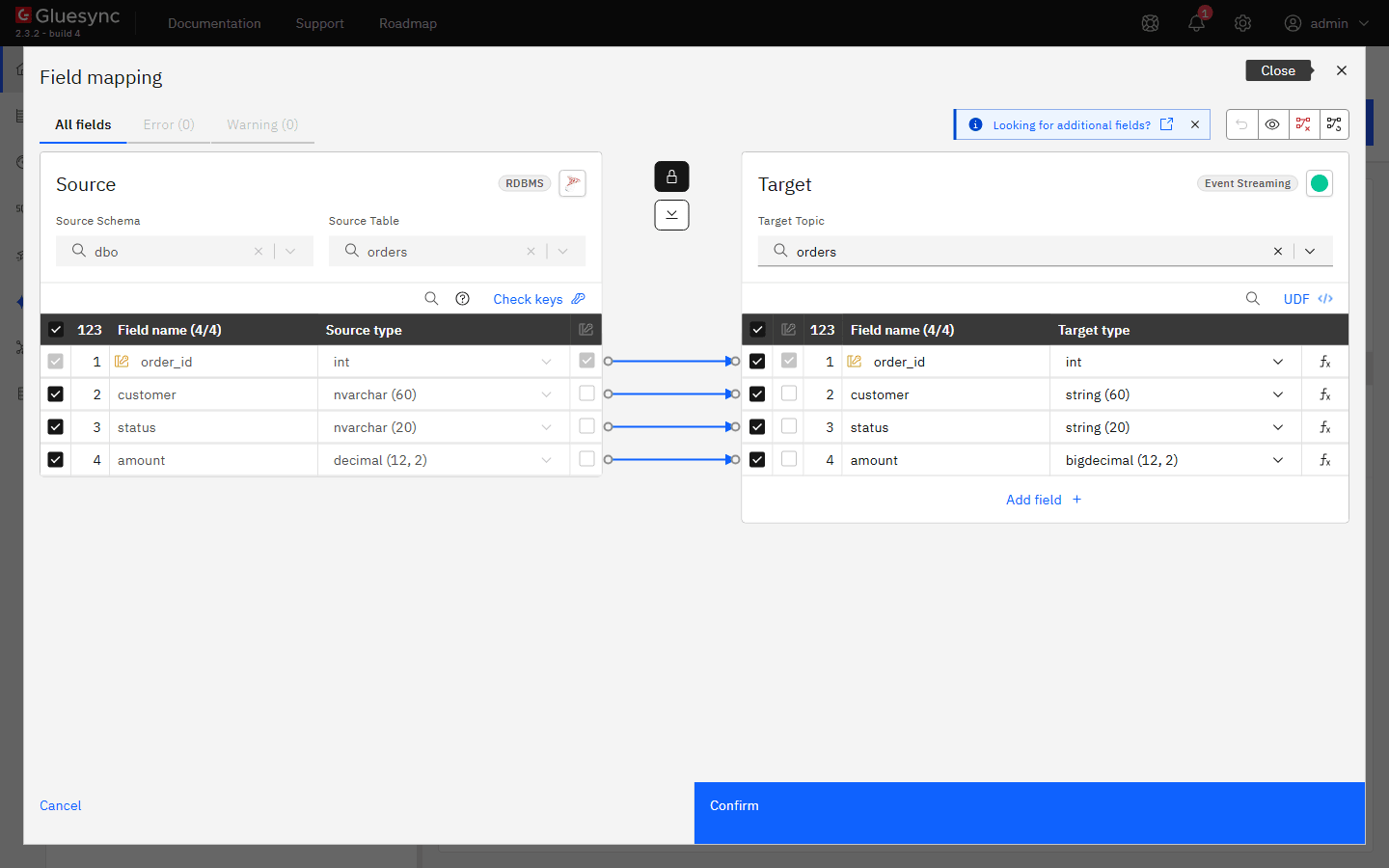
orders: changes go to orders/insert, orders/update and orders/delete.UI + CLI
-
Open the entity, select Start, keep Full copy and Keep and merge, and select Start entity;
-
Read the queue
gluesync-orderswith your Solace client.
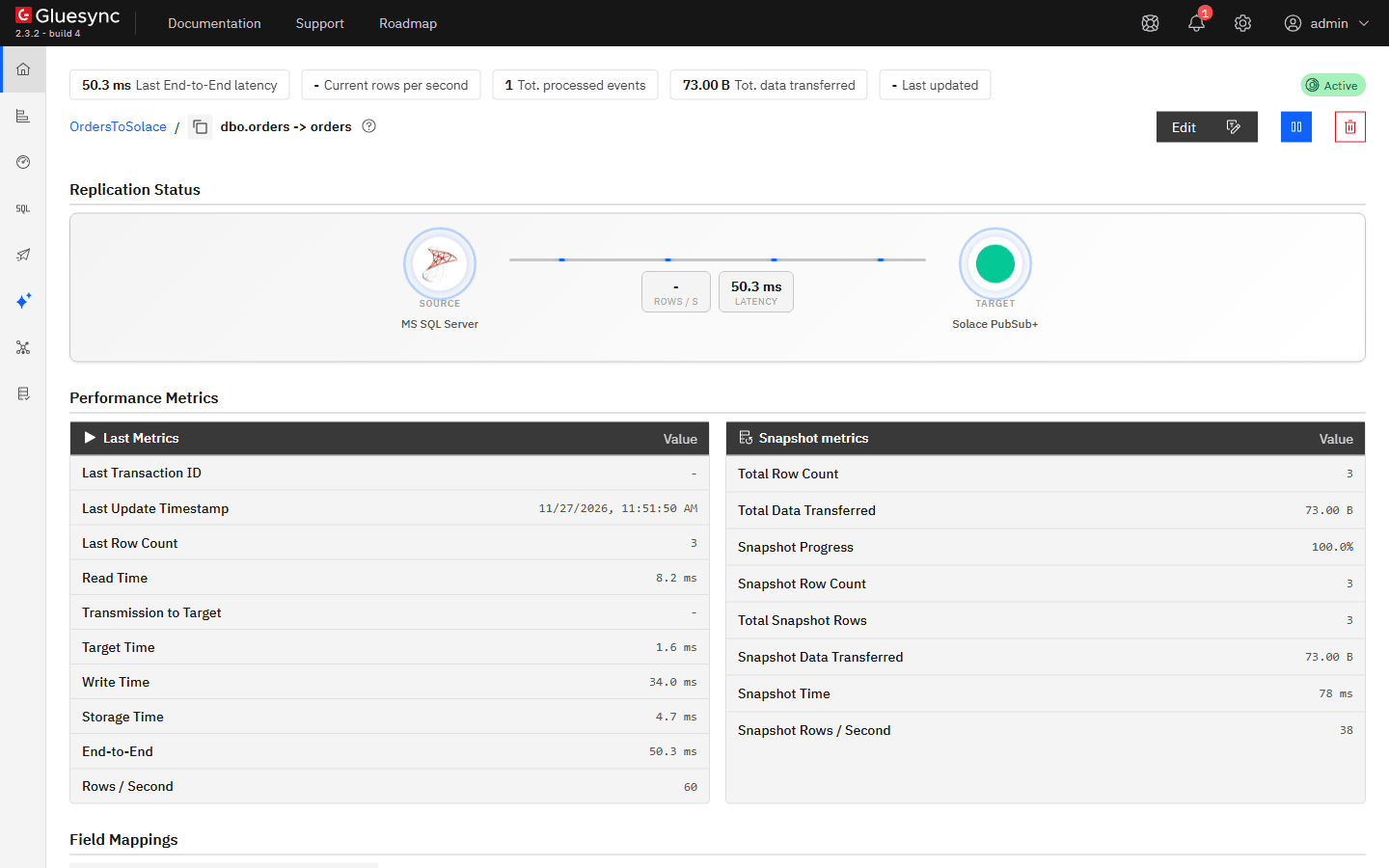
SQL + CLI
-
On SQL Server, insert, update and delete a row:
INSERT INTO dbo.orders VALUES (1004, N'Verdi Logistica', N'open', 99.90); UPDATE dbo.orders SET status = N'shipped' WHERE order_id = 1001; DELETE FROM dbo.orders WHERE order_id = 1002; -
Read the queue again.
UI + SQL + CLI
-
On the pipeline page, select the Solace target to edit it, and open Advanced settings;
-
Select Add property, choose Topic prefix and type
acme/erp; -
Select Add property again, choose Include before image and switch it on;
-
Select Test and continue;
-
On SQL Server, change a row and delete one:
UPDATE dbo.orders SET amount = 2400.00 WHERE order_id = 1003; DELETE FROM dbo.orders WHERE order_id = 1004; -
Read the queue.
|
The before image comes from the source. SQL Server CDC records the old values of every column, so |
Troubleshooting
| Problem | Possible cause | What to do |
|---|---|---|
Failed to save and |
Wrong username or password for the Message VPN |
Check the client username and its password on the broker, then test again |
Failed to save: |
The prefix contains a wildcard |
Use plain topic levels, such as |
The queue receives nothing |
The queue was created after the changes, or its subscription does not match the topics |
Subscribe the queue to |
Messages with the body |
Connection checks of the agent, collected by a subscription to |
Subscribe to the topics of your entities only |
Every snapshot message is an |
A Keep and merge snapshot writes updates |
Treat |
|
Include before image is off |
Turn it on in the Advanced settings of the target |
|
A wrong password is reported when you test the connection: 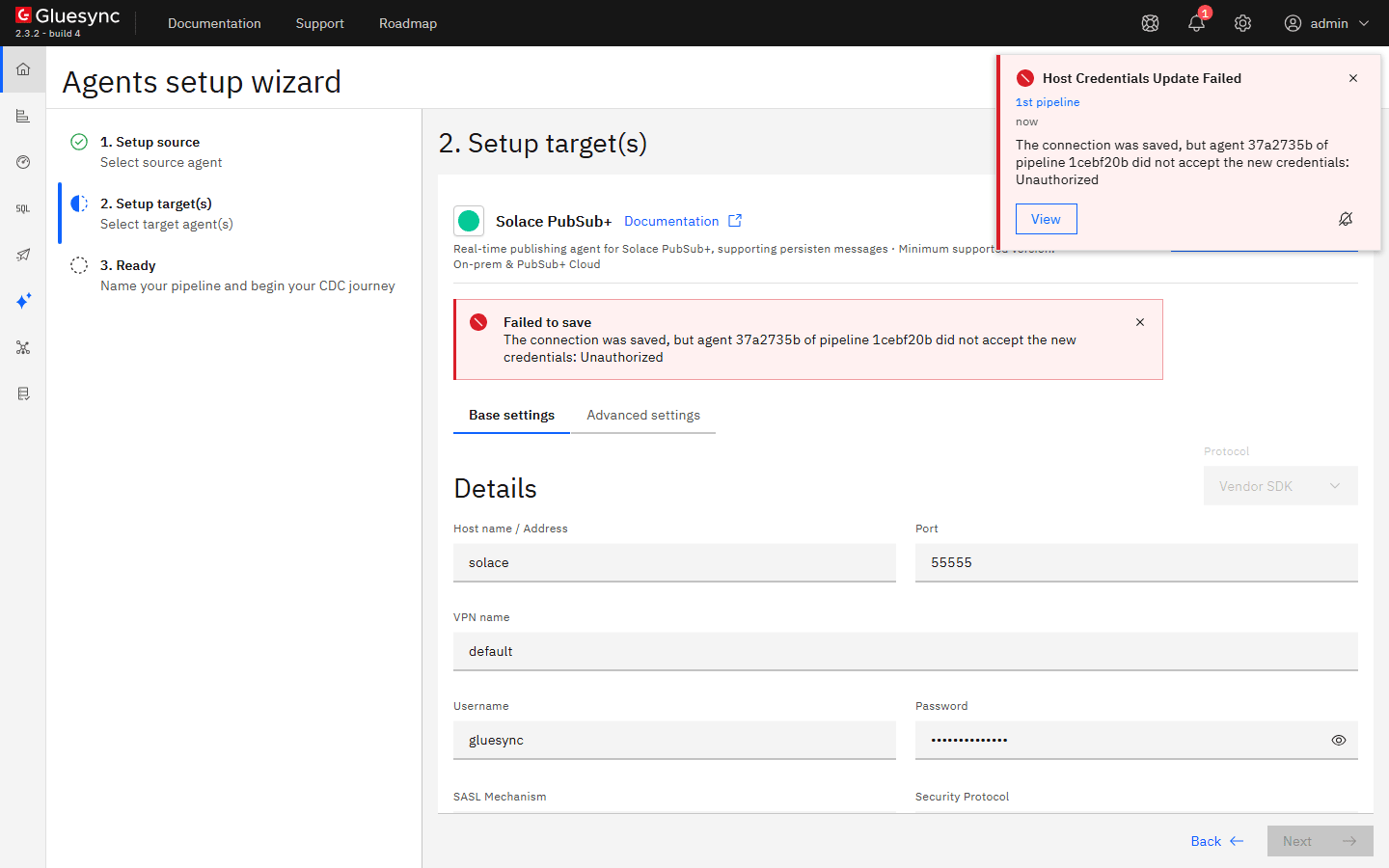
Figure 4. The error when the broker refuses the credentials.
|