Allowed Operations
The Allowed Operations feature provides granular control over which database operations are synchronized between your source and target systems. You can selectively enable or disable specific operations (INSERT, UPDATE, DELETE, TRUNCATE) to meet your data synchronization requirements.
Overview
The Allowed Operations feature lets you control exactly which types of database operations are propagated from source to target. By default, all operations (INSERT, UPDATE, DELETE, TRUNCATE) are allowed. You can modify these settings to match your specific data synchronization needs.
Use Cases
| Scenario | Recommended Settings |
|---|---|
History Tables |
Disable DELETE and TRUNCATE to maintain a complete audit trail |
Data Archiving |
Enable only INSERT to accumulate historical data without updates or deletions |
Data Mirroring |
Enable all operations for full bidirectional synchronization |
Read-Only Replica |
Enable only INSERT and UPDATE to prevent data loss from source deletions |
Data Migration |
Enable all operations during migration, then disable TRUNCATE post-migration |
Key Features
-
Operation-Level Control: Enable/disable specific operations (INSERT, UPDATE, DELETE, TRUNCATE)
-
Granular Configuration: Set different operation permissions per entity
-
Real-Time Application: Changes take effect immediately without service interruption
-
Default Allow: All operations are enabled by default for new entities
Configuring Allowed Operations
-
Navigate to the entity configuration in the Gluesync Core Hub
-
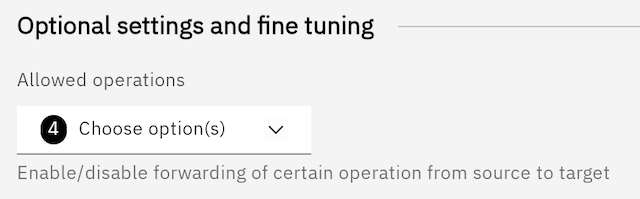
Locate the "Allowed Operations" section
-
Use the dropdown to select which operations should be allowed:
-
INSERT: Allow new records to be created
-
UPDATE: Allow existing records to be modified
-
DELETE: Allow records to be removed
-
TRUNCATE: Allow table truncation operations
-
-
Save your configuration
Best Practices
-
Audit Requirements: Disable DELETE and TRUNCATE for compliance
-
Data Protection: Consider disabling TRUNCATE in production environments
-
Testing: Verify operation settings in a test environment before applying to production
-
Documentation: Document your operation settings for team reference
Operation Details
| Operation | Description | Default |
|---|---|---|
INSERT |
Controls whether new records can be created |
✅ Allowed |
UPDATE |
Controls whether existing records can be modified |
✅ Allowed |
DELETE |
Controls whether records can be removed |
✅ Allowed |
TRUNCATE |
Controls whether tables can be truncated |
✅ Allowed |
| This feature deprecates the "Skip Deletions" feature in favor of a more flexible and powerful feature. |