On duplicate key
When Gluesync inserts a row the target already holds, the target rejects the insert with a duplicate key error. What happens next is a per-entity decision: overwrite the target row, keep it and report the incoming one, or stop the entity and let someone look at it.
|
How-to guide
For a step-by-step walkthrough tested on a running Gluesync, see the how-to guide Choose a key strategy: physical, logical, RRN or computed. |
Overview
An insert collision happens whenever a row arriving from the source carries a key that already exists on the target, either during the initial snapshot or during CDC. The target refuses the insert (ORA-00001 on Oracle, 2627 or 2601 on SQL Server, for a unique constraint or a unique index, 23505 on PostgreSQL, and so on) and Gluesync decides what to do with the rejected rows.
Until this release there was one answer: Gluesync retried those rows as an upsert, so the target row was overwritten with the incoming one. That is still the default, but it is now a choice. The On duplicate key setting is configured per entity on the target side and takes one of three values.
|
Whatever the setting, a failure that is not a recognised duplicate key is never retried: it surfaces as an error and the entity stops. Only a duplicate key is treated as a conflict to resolve. |
The three strategies
| Strategy | What happens to the row | What happens to replication |
|---|---|---|
Upsert (default) |
The rejected rows are written again as an upsert, so the row on the target is overwritten with the incoming one. |
Replication continues. This is the behaviour of every release before this one, so existing entities are unaffected. |
Skip |
The row already on the target is kept and the incoming duplicate is discarded. Every other row of the transaction is written. |
Replication continues, and Gluesync raises a warning notification listing the keys of the rows it skipped. |
Fail |
Nothing is written for that transaction: the duplicate key error surfaces as it is. |
The entity stops and reports the error. Other entities of the pipeline keep running. |
Skip: the warning notification
Skip is silent on the target but never silent in Gluesync. Each write that skipped at least one row raises a warning in the Notifications and alerts, titled Duplicate rows skipped on <entity>, whose message names the rows:
1 duplicate row(s) skipped. Skipped rows (batch index and key values): [#0 transactionId=0000002c000001100003 keys={CUSTID=C000000004}]
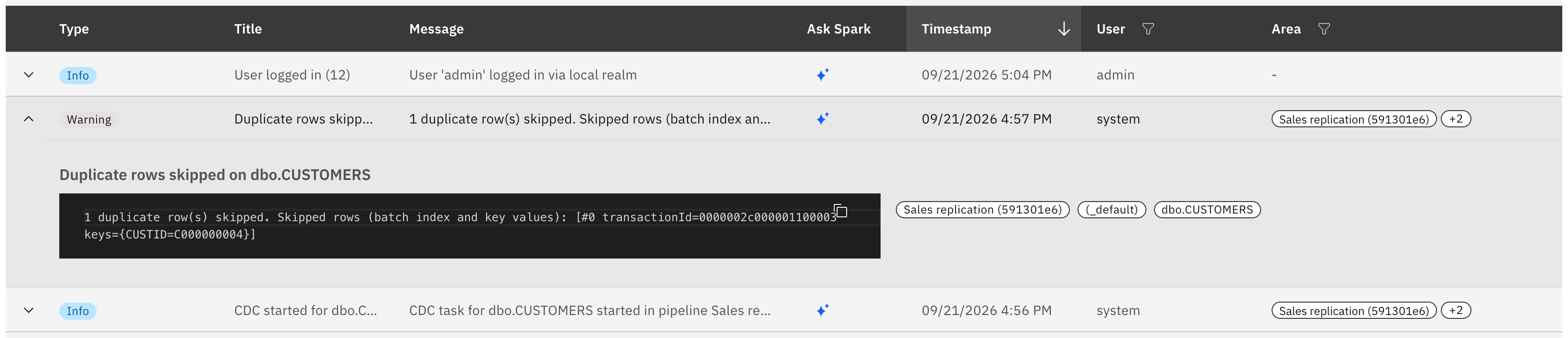
Two details of that message are worth knowing:
-
The list of keys is capped. When more rows were skipped than the message lists, it ends with
N further skipped row(s) not listed, and the full count is the number at the beginning. -
On targets that apply a batch row by row without a transaction (Couchbase, GridGain, Cosmos DB), the count is an upper bound and the message says
up to N duplicate row(s) skipped. Every row listed was refused by the target, but some of them may have been written by the attempt that just failed rather than being there beforehand.
The same message is written to the agent log at WARN level.
Fail: what stopping means
Fail stops the entity on the transaction that collided, and leaves it stopped. This matters when you plan to use it:
-
The source is not changed by the stop. The record that caused the collision is still in the source change log, so restarting the entity replays the same transaction, and as long as the conflicting row is on the target the entity stops again.
-
Fail is therefore the right choice when a collision must block the data from moving until a person resolves it, and the wrong one when collisions are expected to occur regularly: in that case the entity spends its time stopped.
If you need the visibility without the interruption, use Skip: the target keeps what it has, the notification names the rows to reconcile, and the rest of the data keeps flowing.
Where the setting applies
The On duplicate key field only appears when the target agent can actually reject and recognise a duplicate key. Each target agent declares this, and Gluesync hides the setting where it would do nothing.
| Target | Behaviour |
|---|---|
Db2 for LUW, IBM i, Informix, MariaDB, Microsoft SQL Server, MySQL, Oracle, PostgreSQL, Supabase, CockroachDB, YugabyteDB, SAP HANA, SAP ASE, SAP SQL Anywhere, SingleStore, Couchbase, Apache CouchDB, Cosmos DB, GridGain |
The setting is available and all three strategies behave as described. |
Greenplum, MongoDB, Snowflake, Vertica |
The setting is available, with a caveat: whether a duplicate is rejected depends on the individual target object. See below. |
Amazon Redshift, Amazon S3, Azure Data Lake, Google BigQuery, Google Cloud Storage, Google Pub/Sub, Apache Kafka, Solace, Aerospike, Apache Cassandra, ScyllaDB, DynamoDB, RavenDB, Redis, FTP storage |
A duplicate key cannot arise: the write overwrites, appends, or declares a key the engine does not enforce. The setting is not shown. |
Targets where it depends on the table
On MongoDB, Snowflake and Vertica the same target can enforce a key on one object and not on the next, so Gluesync checks the catalog when the entity starts and warns when the strategy you chose cannot take effect:
-
Vertica enforces a primary key only when the constraint was created
ENABLED. Tables Gluesync creates are enabled; a pre-existing table may not be. -
Snowflake enforces a key only on hybrid tables. On a standard table the duplicate row is simply stored.
-
MongoDB rejects a duplicate on
_idand on a unique secondary index, not on an ordinary field.
The warning names the table and says which of the two cases it is, so a Skip that silently does nothing is visible at startup rather than at reconciliation time.
On Greenplum the table decides too: a duplicate is rejected only where the table has a unique index. A table Gluesync creates has its primary key, except an append-optimized table on Greenplum 6, which cannot have one, and a table you created by hand may have none. Gluesync does not check this when the entity starts.
Bulk mode
The setting acts on the batch write path. When an entity runs in bulk mode and the bulk load succeeds, the target’s own load mechanism decides what happens to a row that is already there, which for most targets means the row is merged. Gluesync falls back to the batch path only when the bulk write fails, and the strategy applies from there.
If you need Skip or Fail to govern every write of an entity, leave that entity in batch mode.
How to configure
From the Control Plane
Open the pipeline, then the entity’s action menu, and choose Edit entity. Click the settings icon on the entity and open the Fine tuning tab: On duplicate key is there, among the other write options.
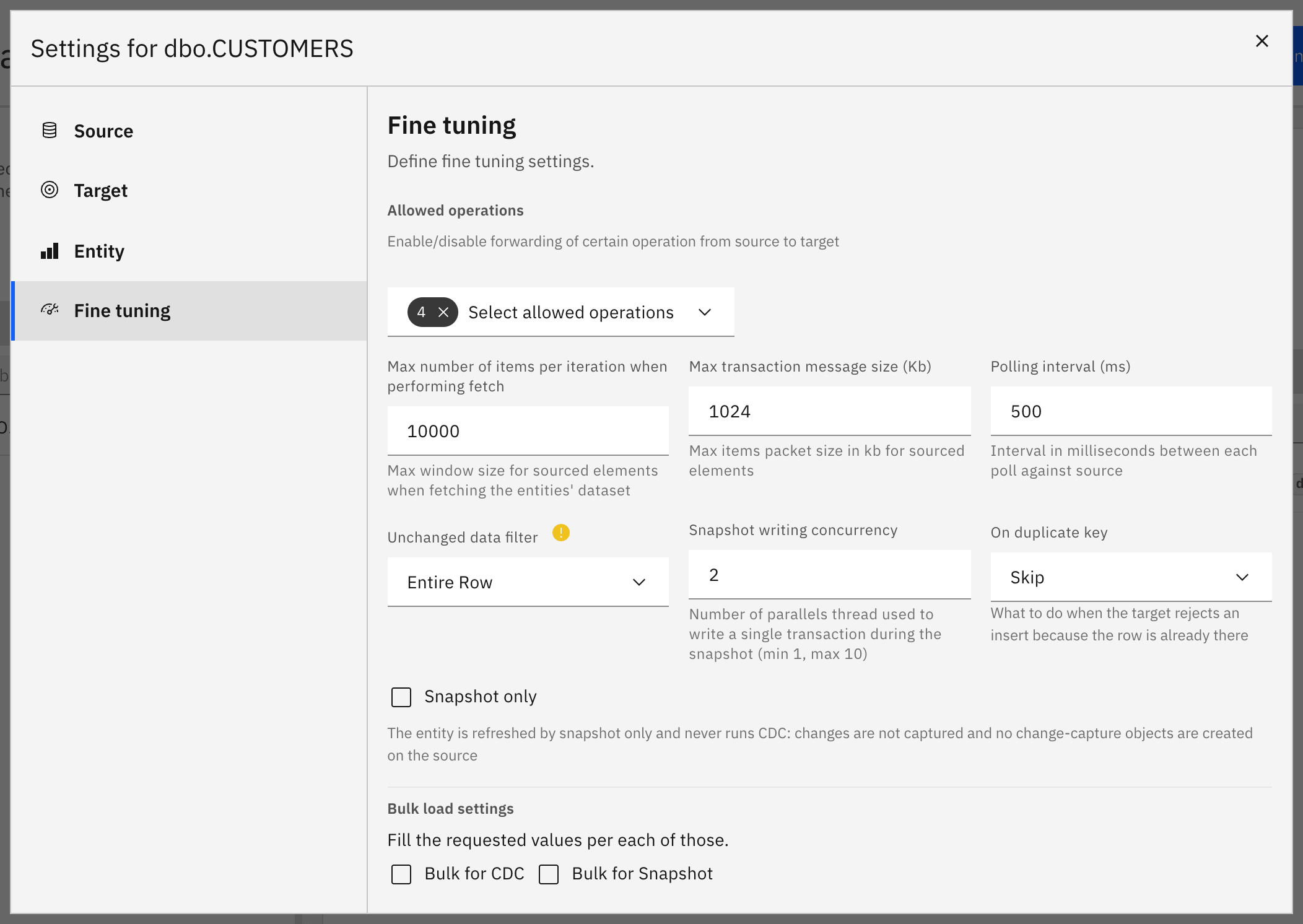
Open the dropdown to pick the strategy for this entity.
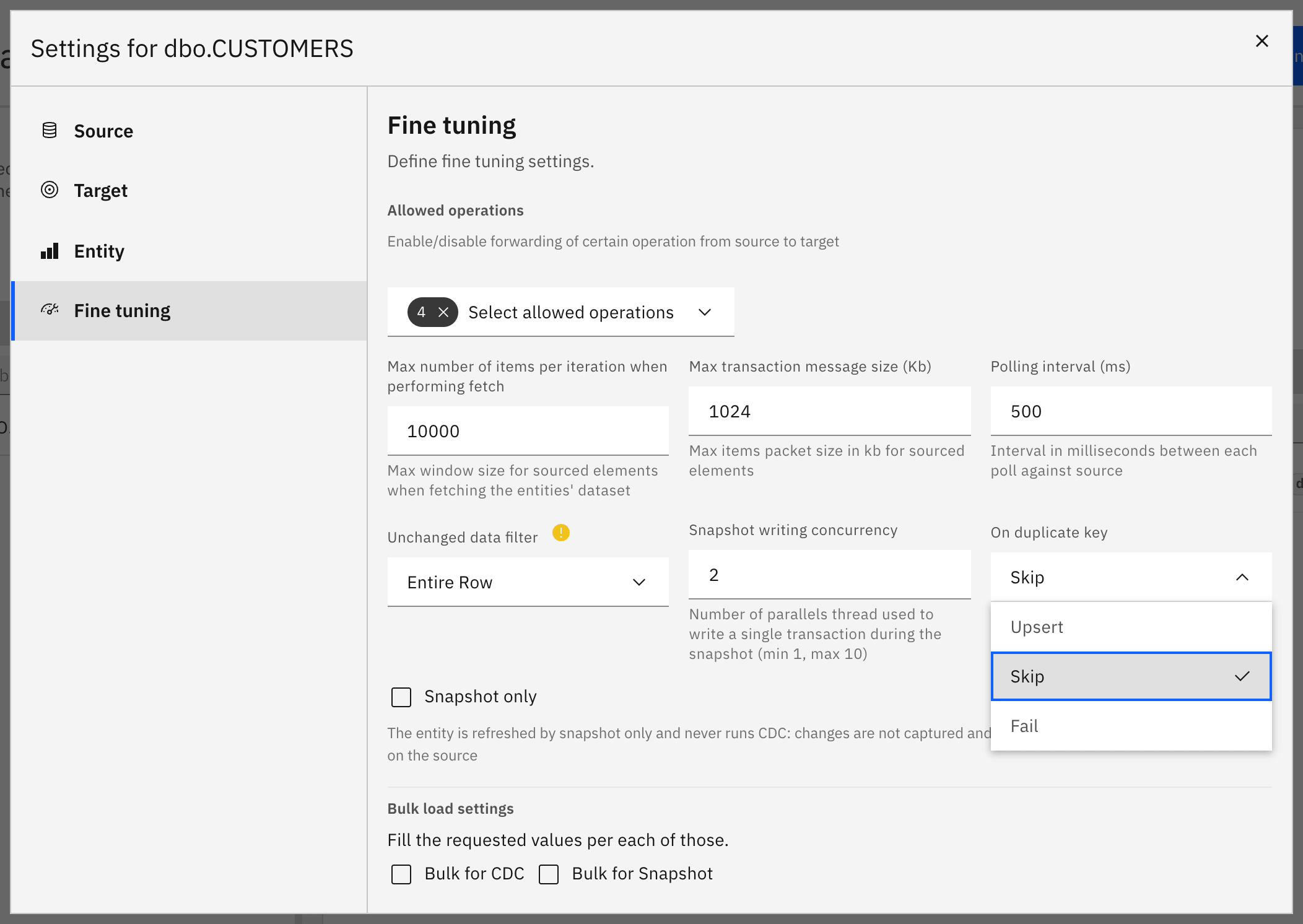
The setting can be changed on an existing entity without recreating it. Save the configuration and the next write uses the new strategy.
Choosing a strategy
| Choose | When |
|---|---|
Upsert |
The source is the authoritative copy and the target should always end up matching it. This is the default and the behaviour of earlier releases. |
Skip |
The target must not be overwritten by a colliding row, and you want to be told which rows were refused so they can be reconciled by hand while replication keeps running. |
Fail |
No data may move past a collision without a person deciding what to do, and collisions are rare enough that a stopped entity is an acceptable cost. |
For a step-by-step walkthrough, see the how-to guide Choose keys for tables without a primary key.