 MS SQL Server CDC Troubleshooting
|
How-to guide
For a step-by-step walkthrough tested on a running Gluesync, see the how-to guide Prepare a SQL Server target. |
Common issues
22836: Could not update the metadata for database XYZ
If the error returned was 14234: The specified @srv is invalid (valid values are returned by sp_helpserver), then this means that the Server name mismatches and here’s a workaround that could solve the issue you’re facing:
DECLARE @OldServerName AS NVARCHAR(128);
SELECT @OldServerName=srvname from master.dbo.sysservers;
sp_dropserver @OldServerName
GO

DECLARE @ServerName NVARCHAR(128) = CONVERT(sysname, SERVERPROPERTY('ServerName'));
EXEC sp_addserver @ServerName, 'local';
GO
Removing CDC from tables
If you need to remove CDC from a table you can use the following stored procedure:
EXEC sys.sp_cdc_disable_table @source_schema = NAME_OF_SCHEMA, @source_name = NAME_OF_TABLE, @capture_instance = CAPTURE_INSTANCE_NAME
GO

--- example ---
EXEC sys.sp_cdc_disable_table
    @source_schema = N'schemaname',
    @source_name = N'tablename',
    @capture_instance = N'schemaname_tablename';
GO
--- example ---
TRUNCATE operation cannot be performed
Tables with CDC enabled cannot be truncated. In the case you need to truncate a table with CDC enabled you can temporarily disable CDC on the table, truncate it, and then re-enable CDC.
The server selected protocol version TLS10 is not accepted by client preferences / TLS handshake failures against legacy SQL Server
This error means Core Hub could not complete a TLS handshake with an older SQL Server that does not speak TLS 1.2 (unpatched SQL Server 2008/2012, or SQL Server 2014 without the TLS 1.2 update). SQL Server 2005 is not supported.
Turn on Force-load deprecated Java ciphers in Control Plane Global settings (section Deprecated Java Ciphers, default off) and save. This allows insecure & deprecated Java cipher suites to be force-loaded on this Gluesync instance and sets GS_LEGACY_TLS=2 on Core Hub. It is process-wide, not per-agent. Use it only on a trusted network.
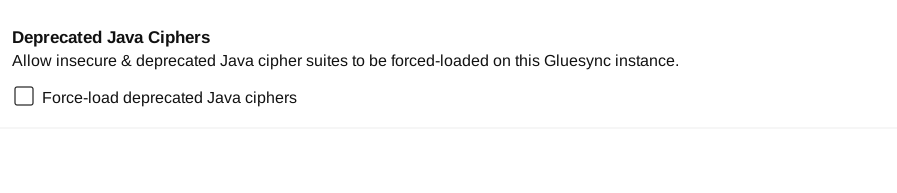
If Docker Compose or Kubernetes, set GS_LEGACY_TLS=2 on the Core Hub container (gluesync-core-hub) and restart it, then retry the connection.
services:
  gluesync-core-hub:
    environment:
      - GS_LEGACY_TLS=2