Gluesync Automator 

Gluesync Automator is a standalone executable that provides a user-friendly web interface to run the Gluesync Bootstrapper’s create_all_entities.py script without requiring Python dependencies or command-line knowledge. It also exposes backup, restore, duplication, and bulk discovery workflows that sit on top of the same Bootstrapper primitives, making day-two operations approachable for non-developers.
|
How-to guides
For step-by-step walkthroughs tested on a running Gluesync, see Use Gluesync Automator and the how-to guides Move a DBMoto or Syniti Replicate setup to Gluesync and Promote pipelines from QA to production. |
|
Automator is the authoritative tool for platform backups and restores. When documentation mentions backing up or moving Gluesync environments, it is explicitly referring to Automator’s export/import flows described in the guide and in the reference below. |
 This project is Open Source
Overview
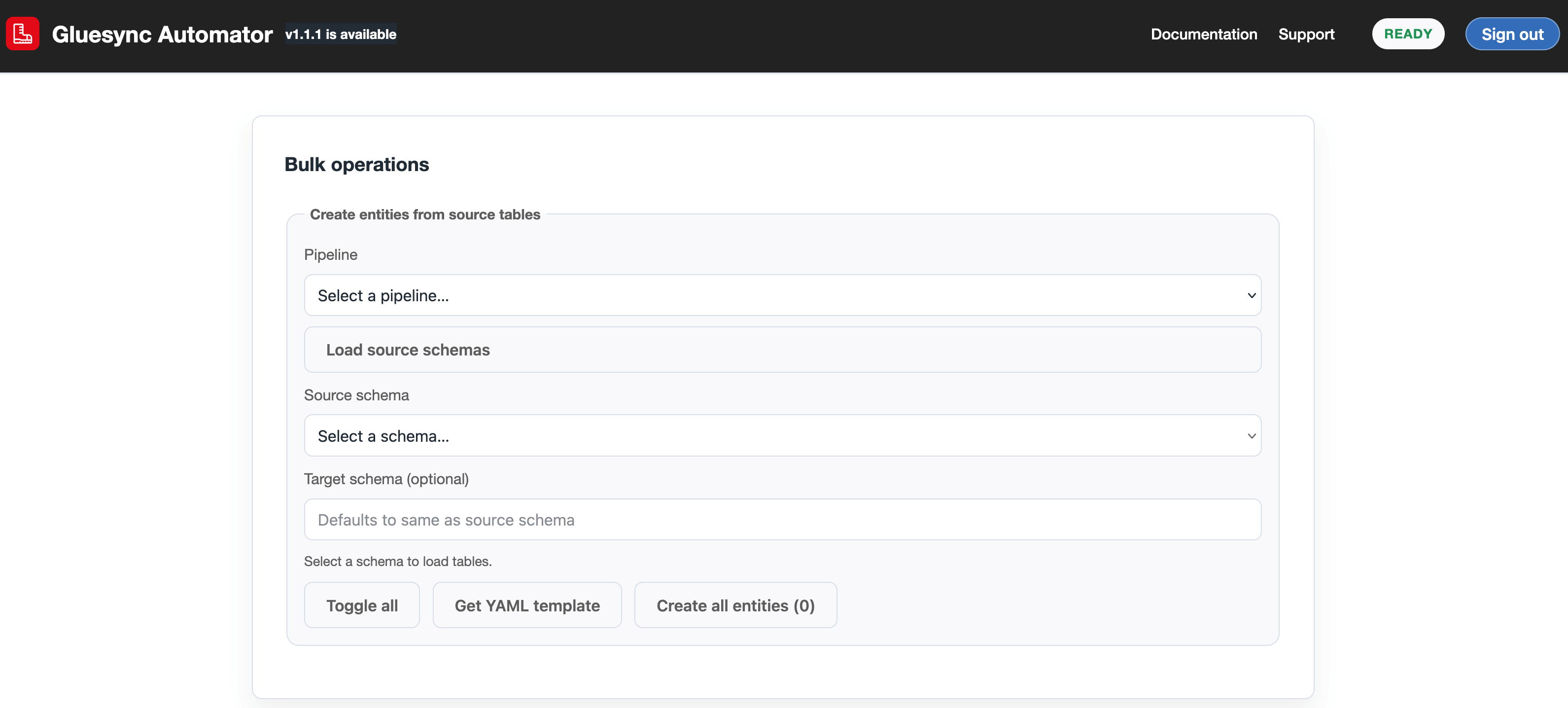
The Automator packages the Bootstrapper functionality into a single executable file that launches a local web server bound to your machine on port 8080. It provides a graphical interface for:
-
Authenticating with Gluesync Core Hub
-
Uploading YAML configuration files
-
Configuring entity creation options
-
Monitoring live logs during execution
-
Downloading logs for troubleshooting
This makes the Bootstrapper accessible to users who prefer graphical tools over command-line interfaces, while maintaining all the underlying automation capabilities.
Key features
-
Web-based interface
-
Accessible via any modern browser at
localhost:8080 -
Responsive design works on desktop and mobile devices
-
Gluesync-branded interface matching documentation styling
-
-
Resilient authentication
-
Secure login to Core Hub with TLS options
-
Certificate verification controls and skip-verify switch
-
Automatic retry on transient network failures, with clear UI log messages
-
-
Configuration management
-
Drag-and-drop YAML file uploads plus schema overrides
-
Validation of configuration files (single pipeline or bulk archives)
-
Support for all Bootstrapper YAML formats, including unlocked schema and advanced filters
-
-
Entity creation options
-
Toggle automatic table creation and scheduling
-
Skip errors option for batch processing
-
Configurable chunk sizes for large deployments
-
Auto-detect pipeline schemas from YAML or manually override per run
-
-
Real-time monitoring & logging
-
Live streaming of backend execution logs, even for failures (returned as structured log arrays)
-
Color-coded status indicators (idle, running, completed, failed)
-
Import and export actions write detailed audit lines to the Execution log
-
-
Backup and restore tooling
-
Export single pipelines (metadata or full backup)
-
Export all pipelines with consolidated
agents-config.yamland UDF sources -
Validate and import ZIP archives with clear remediation hints when secrets are still masked
-
-
Bulk discovery
-
Discover schemas and tables from live Core Hub agents
-
Pick-and-choose tables, then create entities without crafting YAML
-
-
Cross-platform support
-
Native executables for Windows, macOS (notarized), and Linux
-
Self-contained with all dependencies bundled
-
Installation
Download
Download the latest Automator executable from the official distribution site:
You can also download the default Bootstrapper schema template used by Automator:
Executables are available for:
-
Windows (.exe)
-
macOS (.app inside a
.zip) -
Linux (.bin)
macOS notarization
The macOS build is code-signed with Developer ID Application: MOLO17 SRL (935BPM8A8T) and notarized via Apple’s notary service. Install it by:
-
Downloading
Gluesync-Automator-macOS.zip. -
Double-clicking the ZIP to extract
Gluesync Automator.app. -
Dragging the app into
/Applications. -
Run the app from
/Applications/Gluesync Automator.app.
No chmod, right-click, or security override is required. If the ZIP is copied via insecure channels and the quarantine bit gets added again, run xattr -cr "/Applications/Gluesync Automator.app" once to clear it.
Usage
The step-by-step workflows are in the guide Use Gluesync Automator. It covers signing in, the Core hub overview, bulk entity creation, YAML import, export, validation, restore on the same or on a second Core Hub, pipeline duplication and the execution log.
For the bulk workflow alone, see Create entities in bulk from a source schema.
Start Automator, then open localhost:8080 in your browser. The page has five tabs: Core hub, Backup & export, Import & clone, Bulk and Settings. The Execution log at the bottom of the page shows what every workflow does.
Archive and restore reference
Archive layout
-
Export entities writes one table-list-style YAML file named
backup_<pipelineId>_<time>.yaml. A pipeline that uses UDFs or a function collection gets a ZIP archive instead, with the sources next to the YAML. -
Pipeline backup writes a ZIP archive with a folder
pipeline_<pipelineId>. It holds the pipeline YAML (backup_<name>_<pipelineId>_<time>.yaml) and a pipeline-scopedagents-config.yaml. The UDF sources of the pipeline are grouped by owning agent in folders such asudf-<agentId>/<UDF_NAME>.java. The sources of the function collection, when the pipeline has one, are underfunction-collection/. -
Full backup (under Export all) writes one ZIP archive with one YAML file per pipeline and one consolidated
agents-config.yamlat the top. UDF sources follow the same layout. A function collection is underpipeline_<pipelineId>/function-collection/. A collection that cannot be read at export time is listed infunction-collection-errors.txt. -
Pipeline backup and Full backup also hold a
global-config.yamlwith the global notification settings, when Core Hub has any. Full backup leaves out the pipelines in maintenance mode and lists them inskipped-maintenance-pipelines.txt. -
agents-config.yamlholdsagents, a list of agent definitions (agentType,agentTag,hostCredentials,customHostCredentials,specificConfigurationandagentId), andpipelines, which records the original pipeline ID and name of each pipeline and the agents (byagentType,agentTagandagentId) that belong to it.
|
From Core Hub 2.3.2 you can also import the YAML file of Export entities, or the ZIP of one pipeline, on a pipeline’s New Entity page in the Control Plane. Each table is checked against the pipeline before you add it. That import applies filters, UDFs and groups, but it does not create schedules: add them afterwards in Schedules and events. See Import entities from a file. |
Passwords in archives
By default every agent password is written as password: '*******' with the comment original password omitted. Validate and Import All refuse an archive that still has *******. Type the passwords in the Customize panel, or export again with Include secrets.
With Include secrets, the archive holds the agent passwords, and it restores without typing them. Keep the archive private and delete it when you no longer need it.
What Import All does
For each pipeline in the archive, Import All:
-
Creates a new pipeline. When the name is taken, it adds the suffix
(restored). In Customize, Pipeline name already taken can be set to fail instead. -
Binds the agents defined in
agents-config.yamland applies each table-list YAML to create entities. It does not start any entity. -
Publishes and installs the function collection of the pipeline, when the archive has one, before any UDF is compiled and any entity is created. When Core Hub refuses the collection, that pipeline is not restored and the log lists every compiler and binding error.
-
Compiles and registers the UDFs that the YAML references from the exported source files.
A Core Hub-wide export also holds user-groups.yaml, with every user group of a Core Hub 2.3.0.1 or later, its description, members and Query Studio data-access policies, and data-access-policies.yaml, with the data-access policies of each user who has any. Import All restores both after the pipelines, so the policies find the connections the import recreated:
-
Members and users are found by username first, then by id. One the target does not have is left out with a warning.
-
Groups are matched by name, ignoring case. An existing group gets the description and members of the backup, and a missing one is created.
-
A policy keeps its connection when the target has it, or moves to the only target connection with the same name. Otherwise it is skipped and reported, because a policy on a missing connection protects nothing and still switches data-access enforcement on.
-
Policies the target has and the backup does not are left alone.
For the platform backup that Gluesync itself offers, see Backup and restore.
Export and restore limits
Export and restore keep what Core Hub stores per pipeline, with the limits below.
Field functions
-
Automator exports the field function of each column (for example
Date2Str,TrimStr,StaticStr,MaskEmail) as theexpressionof the column in the pipeline YAML and rebuilds it on restore. Exports made with Automator 1.4.9 or earlier do not contain them. Export again with the current version. After restoring an old export, set the field functions again by hand. -
A target column that no source column feeds, because its field function or the UDF of the entity writes it, is restored only on a Gluesync 2.3 Core Hub. On Gluesync 2.2 the restore logs a warning that the field functions of these columns are not restored.
-
Gluesync 2.3 refuses fixed-value and technical field functions (
StaticShort,StaticInt,StaticLong,StaticFloat,StaticDouble,StaticBD,StaticStr,LocalTs,LocalDate,TsOff,RecordID) and the target scalar function on a target column that a source column feeds. Use them on a column that no source feeds. -
A field function that calls a function of the function collection of the pipeline, such as
convertDate, needs that collection on the target. Backups made before Automator 1.4.22 do not contain the collection. Take the backup again, or publish the collection on the target pipeline before you restore. A table whose field function calls a function that the installed collection does not export is refused, and the message names the table, the column and the function.
Credentials
-
By default an export writes
*******instead of every agent password. Import All and Validate refuse an archive that still holds*******. Type the passwords in Customize, or editagents-config.yamland write the real passwords first. -
With Include secrets, passwords are in the archive and restore without editing.
-
In Customize, you can type agent passwords for the restore. They travel only with the request and are not stored.
-
Users are restored without passwords. Each user resets the password in Core Hub.
-
The full backup leaves out the backup settings and the recovery key of Core Hub. Restore the own backups of Core Hub with its
--restore-backupcommand.
HTTP 500 on restore
When Import All hits an error it did not expect, Automator answers with HTTP 500 and the text of the exception as the message. Problems that Automator checks first return a clear message instead: masked passwords and a missing or empty agents list in agents-config.yaml return HTTP 400, and a second import started while one runs returns HTTP 409.
-
Read the live log of the import. It is kept when the response is an error, and it lists the pipeline, the agent or the entity that failed, with the reason Core Hub gave.
-
Correct that item. Typical causes are an agent that cannot be reached, a missing or masked password, or a target table that cannot be created.
-
Run Validate on the same archive, then Import All again. Pipelines already restored get the suffix
(restored), so delete them first or use Customize to resume into the existing pipeline.
Multi-byte characters in YAML
Automator reads and writes every YAML file as UTF-8. Names with accents or other non-ASCII characters are written as they are, not escaped.
-
Edit exported YAML with an editor that saves UTF-8. Saving as ANSI or Windows-1252 corrupts these characters.
-
A pipeline YAML in the archive that is not valid UTF-8 is skipped. The log shows
<file>: failed to read from archivewith the decoding error. Save the file as UTF-8, zip the archive again and import it. -
Automator 1.4.9 fixed the DbMoto converter on Windows, which failed with
UnicodeEncodeErrorfor characters outside Windows-1252. Update if you still see it.
Configuration options
TLS configuration
-
Enable TLS: Forces HTTPS connections to the Core Hub
-
Skip Certificate Verification: Bypasses SSL certificate validation (useful for development with self-signed certificates)
Entity creation settings
-
Create missing tables automatically: Controls whether the Bootstrapper should generate CREATE TABLE statements for target databases
-
Enable scheduling for created entities: Automatically enables scheduled execution for created entities
-
Skip errors: Continues processing even if individual entities fail to create
-
Chunk size: Number of entities to process simultaneously (affects memory usage and performance)
-
Source/Target type: Drop-down selectors that map to the Bootstrapper’s agent types:
-
RDBMS (SQL) → sends
SQLto the backend and is used for relational/RDBMS sources or targets. -
Anything else → sends
NoSQLto the backend and is valid for document databases, event streaming platforms, object storage, or any non-RDBMS target.
-
These labels are purely UX improvements; the underlying values (SQL/NoSQL) remain backward compatible with existing scripts.
Troubleshooting
Common issues
| Issue | Possible cause | Resolution |
|---|---|---|
Application won’t start |
Port 8080 is already in use |
Close other applications using port 8080, or the Automator will prompt for an alternative port |
Authentication fails |
Incorrect Core Hub URL or credentials |
Verify the Core Hub is accessible and credentials are correct |
Configuration upload fails |
Invalid YAML format |
Validate your YAML file against the Bootstrapper schema |
Entity creation errors |
Network connectivity or Core Hub API issues |
Check Core Hub logs and network connectivity |
Slow performance |
Large chunk sizes or many entities |
Reduce chunk size or process entities in smaller batches |
For the errors of each workflow, see the troubleshooting table of Use Gluesync Automator.
If the log shows Impossible to upsert entities before database initialization, please verify the connection to the database and the target tables exist but the pipeline has no entities, Automator is not the cause. The error comes from a source agent that is still active but has no connection. It appears when the source of the pipeline was added twice and the first attempt did not finish. That agent is not listed in the UI, and every entity creation tries to configure it too. The target tables are still created because that step only uses the target.
To fix it:
-
Restart the Core Hub container. The incomplete agent is not saved and disappears on restart. Pipelines stop for a few minutes.
-
Drop the tables that the failed run created on the target.
-
Run the bulk creation again with the same selection.
To check the fix, confirm that the log ends with Completed and that the entities appear in the pipeline.
If the login fails with PermissionError(13, 'Permission denied'), the connection from Automator to Core Hub is blocked on the machine where Automator runs, before it reaches Core Hub. Allow Automator through the local firewall. Check that antivirus or endpoint protection and any system proxy do not block outbound connections. Check that the Core Hub URL includes the port when it is not 443.
Best practices
-
Store configuration files in version control alongside your infrastructure code
-
Test configurations in a development environment before production deployment
-
Keep executables updated to the latest version for security and feature improvements
-
Use consistent naming conventions for pipelines, entities, and schemas
-
Document your configuration choices for team knowledge sharing
-
Monitor Core Hub and Automator logs regularly for early issue detection
The Automator header displays the currently running version (for example, Automator v1.0.41). On startup it also performs a best-effort online check against the MOLO17 Backoffice API:
-
If a newer GA version is available, the header shows:
Automator vX.Y.Z – New version available: vA.B.C. -
A short inline changelog for the latest version is rendered below the header, together with a direct download link to https://molo17.com/gluesync-automator/.
-
If the remote services are not reachable, the UI silently falls back to showing the local version only and logs errors to the browser console for diagnostics.
Release notes
1.4.32
Released: November 13, 2026
-
Backup carries the Courier definitions (collections and endpoints) of every HTTP Target and HTTP Source agent of the pipeline, and Restore creates them before it configures the agent. Personal API Tokens and the outbound authentication secret are not backed up, and header values only for a SUPER_ADMIN. If the export of one agent fails, the backup goes on without its definitions and logs a warning; a Core Hub without Courier exports none. Restore refuses, before any write, to take inbound endpoints away from a pipeline that still exists, and refuses a masked header value (
**) that Core Hub has no stored value for; -
Create entities from YAML (single pipeline): the table exists / new table badge in Customize and Preview reflects the target tables that exist, checked once per target schema as soon as the entities load. Before, every row showed new table until a target field was focused. If the target cannot be listed (Core Hub older than 2.3, NoSQL targets), the badge stays provisional and the import is not blocked;
-
A pipeline that Create entities from YAML creates at least one entity on is taken out of Draft (configuration completed), keeping its name. A dry run, an import that creates nothing, and a pipeline already completed are left as they are;
-
Export entities and Backup attach each entity’s Chronos schedule to that entity’s own table, so a YAML with an entity whose name is not
SCHEMA.TABLEimports again with its schedule; -
Embeds Bootstrapper 2.8.26 (Courier aligned with Core Hub 2.3.2.1, created target tables keep their column names, entity schedules on the entity’s own table);
1.4.31
Released: November 5, 2026
-
Customize and Preview no longer hang on large backups (hundreds or thousands of entities): target-table requests in flight are shared, re-renders are debounced, the pipeline configuration is cached for a short time, and Preview shows Previewing… while it works;
-
A backup that has
CustomFncolumns but nofunction-collection/folder gets a note on the job instead of blocking Import All, since the collection may already be on the pipeline; -
Embeds Bootstrapper 2.8.23 (technical fields taken from discovery, IBM i multi-member check, wait for function collection exports, duplicate column names refused early);
1.4.30
Released: November 5, 2026
-
Import a Gluesync 1.x configuration on a pipeline that already holds the converted entities no longer reports them as refused with
DOCUMENT_KEYSPACE_SHARED("the two id prefixes are not distinct"). A draft whose entity name is already in the pipeline takes that entity’s ids, so Core Hub checks it as an update of that entity instead of comparing it with itself. The report marks it already imported, will be updated and it is never ticked by default: tick its Update box to overwrite the saved entity, and the confirmation lists the entities it updates. Ings1_import.py import, a plain run (--yesincluded) saves only the new, valid drafts, and an already imported entity is updated only when named in--entities; -
Embeds Bootstrapper 2.8.22;
1.4.29
Released: November 5, 2026
-
Export, restore and Create entities recognize the HTTP Target and HTTP Source agent (
api-agent-shadow) as an object-store agent even when the agent catalog has no entry for it, so noCREATE TABLEis attempted for it and its entities are created asNoSqlEntity; -
Embeds Bootstrapper 2.8.21 (Courier support for the HTTP Target and HTTP Source agent, and more credentials hidden in debug logs);
1.4.28
Released: November 5, 2026
-
A dry-run that hit errors is shown as Dry-run finished with failures instead of Dry-run — nothing written;
-
Validating an entity plan before a run no longer fails with a
TypeErrorin the target collision check; -
Embeds Bootstrapper 2.8.20;
1.4.27
Released: November 4, 2026
-
Import a Gluesync 1.x configuration on the Import tab converts a Gluesync 1.x (GS1) configuration into Gluesync 2 entity drafts on an existing pipeline. It reads sql-to-nosql configurations (Query and QueryDataModeling entities become Query entities) and nosql-to-sql configurations (DataModeling entities become document models), including the Sybase variant (Couchbase to SQL Server). Pick the configuration file (
.json), the pipeline and the GS1 product, then choose Convert and check. The report lists every GS1 entity with what became of it (flat, multi-level, document split or unsupported, with the reasons). Core Hub checks every draft, a Query draft is described on the source agent and every draft is validated, and nothing is saved until you tick the drafts and confirm Save chosen entities. Secrets of the configuration, such as passwords, tokens and certificates, are removed unread. It needs Core Hub 2.3.2 (data modeling); -
The same flow runs from the command line:
python gs1_import.py convert --config gs1-config.json --pipeline PIPELINE_ID --output report.jsonwrites the report andpython gs1_import.py import --config gs1-config.json --pipeline PIPELINE_IDsaves after a confirmation (--yesconfirms without asking,--entities A,Bnames the drafts,--repositorychooses the GS1 product,--root-countssets the delete window of each Query).--offlineconverts without calling Core Hub. The token comes fromGS1_IMPORT_TOKEN, else a login asadmin; -
A nosql-to-sql draft is typed from the discovery of the Couchbase and SQL Server agents before Core Hub validates it: the converter’s placeholder column types made Core Hub refuse the draft with
Unknown data type VARCHAR. A column that discovery does not know keeps the draft’s type and is listed in a warning. The describe warnings of a Query draft are shown in the report; -
Only the drafts that Core Hub checked and found valid are ticked by default, both in the page and in
gs1_import.py import: a draft that Core Hub refused or could not check is left out until you choose it. The report never prints the value of a setting that has no Gluesync 2 counterpart, and more secret-looking keys are removed (pwd,passphrase, API, private, access and secret keys,authsettings). An upload is capped atGS_IMPORT_MAX_UPLOAD_MB(512 MB by default) and a file nested too deeply is refused with a clear message; -
Importing large backups no longer freezes the page: the entity picker draws its rows in slices and loads discovery only when needed. Auto-rename is an optional button, never automatic, that gives colliding targets distinct names, a partial import offers Retry for the entities that failed, and several source tables that feed one new target table are shown as fan-in with a note;
-
Customize fixes: an empty Source or Target schema falls back to the YAML field by field, the duplicate-target check counts only the entities that would be created, a Target schema set for all entities applies to each of them unless a row sets its own, collisions between remapped schemas are found, schema and table names are matched without regard to case, and the plan’s choice for existing entities wins over
GS_IMPORT_ON_EXISTING; -
Duplicating a pipeline to another database type, for example MySQL to Oracle, takes the host and port of the new agent type from a pipeline that already has it, instead of the template pipeline’s. The copy used to fail with
ORA-17904orBad packet type; -
Embeds Bootstrapper 2.8.19;
1.4.26
Released: November 2, 2026
-
The Create entities page lists the entities of an Export entities file in a picker after you upload it and choose the pipeline: a checkbox table with the entity name, the exact
SCHEMA.KEY, source and target, the type and whether the entity already exists on Core Hub, with select all and none, search, a selected count and grouping by schema. Entities of one MultiTable chain are selected together. With everything ticked the run is unchanged and with nothing ticked Start is disabled. Preview and Download plan JSON follow the selection, and the free-text include and exclude fields stay under Advanced. The existing-entity mark now also works for MultiTable members and for entities Core Hub lists wrapped inentity; -
A target picker on each row chooses a new table or collection, with an editable name, or an existing one from the target’s discovery, in one
schema.tablefield with a new or existing badge. Empty and duplicate targets are refused and a column mismatch is warned about, or marked unverified when discovery returns no columns. Create tables stays one setting for the whole run; -
The run log is a panel that stays in view and collapses: a summary of the run with hints, links to the entities and pipelines, a history of runs, and a toolbar to follow, filter by level, search, copy and download. Preview, Download plan JSON and Start stay in view while you scroll, and the steppers and Customize show the SOURCE and TARGET badges;
-
The upload reads the source and target type from the YAML on your machine when it can, so the picker works with Core Hub before 2.3 too. A backup with masked passwords is answered with a plain message that points to Customize (enter the SOURCE and TARGET passwords, Preview, then Import selected), and Import All sends the passwords typed there;
-
An import lists the restored connections that need a sign-in (a Databricks connection in U2M mode) as a warning in the page’s log;
-
Embeds Bootstrapper 2.8.18;
1.4.25
Released: October 29, 2026
-
Customize entity creation on the Create entities page builds a plan for Create entities and Bulk create: the tables to include or exclude, the target schema, target table and entity name of a table, schema, table and group remaps, what happens to an entity that already exists (skip, update or fail), the parts to skip (UDFs, groups, function collection, table creation, schedules) and a dry run that creates nothing. Preview only reads from Core Hub, and Download plan JSON saves the plan for
create_all_entities.py --plan. Without a plan, entity creation works as before; -
Embeds Bootstrapper 2.8.17;
1.4.24
Released: October 29, 2026
-
Customize… next to Import All on the Import tab imports part of a backup, or changes it on the way in. Analyze lists each pipeline of the ZIP with its entities, agents and parts without touching Core Hub. Customize leaves out or renames pipelines, resumes into an existing pipeline, chooses what happens to entities and pipeline names that already exist, leaves out or renames entities (target schema, target table, entity name), changes an agent’s host, port, database, username and password, and skips UDFs, the function collection, schedules, groups, table creation, notifications, users or access policies. Preview shows what would be created, renamed, resumed or refused and only reads from Core Hub. Import selected is enabled after a clean preview, and any later change disables it again. Download plan JSON saves the choices, without passwords, for
python -m automator_app.import_backup --plan; -
Passwords typed in Customize travel only with the request: they are not stored, not written to the work folder, not returned and redacted from the logs. Passwords masked in the backup (
***) are flagged by Analyze and Preview, and refused by a plain Import All; -
The import result is a short report: one line per pipeline and per agent with the reason Core Hub gave, repeated entity errors condensed with a count, and the pipelines fully and partially imported. A pipeline whose entities were not created shows the import as failed. Import All also reads agent connection overrides, resume and the existing-pipeline choice from the
GS_IMPORT_*environment variables; -
Backup import handles target schemas inferred from the snapshot commands, fan-in tables (several source tables into one target table, created with the union of their columns) and keys that hold the source primary key plus other columns (a warning, no longer a refusal);
-
One import or preview runs at a time and a second one is answered at once with HTTP 409, while the Automator keeps answering other requests. Uploads are limited to
GS_IMPORT_MAX_UPLOAD_MB(512 MB by default), kept readable by the owner only, and deleted after the import or after one hour; -
Embeds Bootstrapper 2.8.16;
1.4.23
Released: October 23, 2026
-
Restoring a pipeline export onto an SQL target whose tables do not exist creates the tables, with the columns, types, nullability, order and keys of the export. The import used to create no table, save the entities onto missing tables and report success, and the field mapping then showed
The target table returned no columns. A table that cannot be created is refused and reported as failed, and the other tables go on; -
Exports write the target column’s length, precision and scale when they differ from the source column’s, so a restore creates the column as it was;
-
The full backup and Import All leave out Core Hub’s backup settings and recovery key on purpose: restore Core Hub’s own backups with its
--restore-backupcommand, then enable backups again in Settings → Backup; -
Embeds Bootstrapper 2.8.15, which also ships the changes of Bootstrapper 2.8.14;
1.4.22
Released: October 20, 2026
-
Backups and exports include the pipeline’s function collection under
function-collection/, and restores publish and install it before they compile the UDFs and create the entities. Restoring a pipeline whose field functions call functions of its collection, such asconvertDate, no longer fails withwhich the function collection does not export. Backups made with earlier versions do not contain the collection: take the backup again, or publish the collection on the target pipeline before restoring; -
Duplicating a pipeline copies its function collection to the copy;
-
Before creating the entities, a table whose field function calls a function the installed collection does not export is refused with a message that names the table, the column and the function;
-
Embeds Bootstrapper 2.8.13, which also ships the changes of Bootstrapper 2.8.11 and 2.8.12;
1.4.21
Released: October 20, 2026
-
Restoring an export where one source column feeds several target columns (1:N), such as one user column written to both
CREATED_BYandLAST_MODIFIED_BY, works when the target table does not exist yet: each target column gets its own id, and the table is no longer refused withnames a target column more than once; -
Embeds Bootstrapper 2.8.10;
1.4.20
Released: October 20, 2026
-
Restoring an export of a pipeline whose source has no fixed schema (MongoDB, Cosmos DB, Couchbase, DynamoDB) keeps the column order of the exported pipeline, instead of the order the source infers from the documents it holds at that moment;
-
Exports of a table with an unlocked schema include the target columns no source column feeds, such as a column a user-defined function writes, and the restore puts them back at their exported position;
-
Columns whose names differ only by case, such as the Cosmos DB system key
idnext to a document fieldID, are kept apart on restore instead of refusing the table; -
Restoring an export onto an SQL target keeps the nullability of the target columns as exported (
targetIsNullable): a target that reports every column as not nullable, such as DynamoDB, no longer turns them all not nullable; -
Embeds Bootstrapper 2.8.9, which also ships the changes of Bootstrapper 2.8.8;
1.4.19
Released: October 19, 2026
-
Pipeline exports and backups write each column’s
targetPosition, the position of its target column in the table, andordinalPositionis now the column’s place in the table, so two exports of the same pipeline list the columns in the same order; -
Restoring an export onto an SQL target keeps the target columns as exported: each keeps its exported position instead of position 0, and the
typeof a mapping row beats the type the existing target column reports, when the target supports it (Cassandra used to givevarcharcolumns back astext).targetDataTypestill wins. Exports made by earlier versions still import; -
Embeds Bootstrapper 2.8.7;
1.4.18
Released: October 19, 2026
-
User groups and Query Studio data-access policies are part of the full Core Hub backup: the Backup tab’s Full backup adds
user-groups.yaml(every user group, Core Hub 2.3.0.1 or later, with its description, members and data-access policies) anddata-access-policies.yaml(the policies of each user who has any). Import All restores them after the pipelines, so the policies find the connections the import recreated, and Validate and Import All no longer read these two files as pipeline definitions; -
On restore, members and users are found by username first, then by id, and one the target does not have is left out with a warning. Groups are matched by name, ignoring case: an existing group gets the description and members of the backup, a missing one is created. A policy moves to the target connection with the same name when its connection id is missing, and is skipped and reported when no single connection matches; policies the target has and the backup does not are left alone;
-
Exports of a pipeline whose agent is not known to Bootstrapper (such as a Couchbase target) keep the entity type found in its entities instead of being written as SQL, and logical partitioning is exported (the partition column as
customProperties.source.partitions, never the computed ranges), so a restored table is partitioned on the same column; -
Restoring onto a NoSQL target (Couchbase, MongoDB) keeps the exported column types, nullability and lengths when the collection already exists, instead of the types inferred from its documents, and a field that is always null no longer stops the entity from being created;
-
Embeds Bootstrapper 2.8.6, which also ships the changes of Bootstrapper 2.8.5;
1.4.17
Released: October 15, 2026
-
Exporting AI settings with secrets asks for your Core Hub password, which Core Hub 2.3.0.1 requires before it hands out secrets. The password is sent to Core Hub only, never stored, and asked again for every export;
-
Passwords, passphrases, sign-in tokens and API keys no longer appear in the debug log;
-
Embeds Bootstrapper 2.8.4;
1.4.16
Released: October 14, 2026
-
The Automator API description (OpenAPI) lists the error responses of every route. Paths, parameters and response bodies are unchanged;
-
A failed certificate upload is logged with its full error details;
-
Embeds Bootstrapper 2.8.3;
1.4.15
Released: October 14, 2026
-
The single-section exports (global configuration, SMTP, webhooks, thresholds, schedules, users and OIDC) work again; each one failed with an internal server error;
-
Creating entities from selected tables reads the source and target types from the pipeline’s agents when they are not given: a NoSQL target is no longer treated as SQL, so no target tables are created for it;
-
Import all reports a certificate file that is empty in the backup as empty, instead of failing the agent’s certificate upload with an internal error;
-
Embeds Bootstrapper 2.8.2;
1.4.14
Released: October 14, 2026
-
The Windows executable (
gluesync-automator-windows.exe) is signed by MOLO17 SRL (Authenticode, SHA-256, with an RFC 3161 timestamp, so the signature stays valid after the certificate expires). Windows shows MOLO17 SRL as the verified publisher; -
Embeds Bootstrapper 2.8.1;
1.4.13
Released: October 14, 2026
-
AI Studio settings backup and restore (Core Hub 2.3.0.1 or later): the Backup tab exports the AI settings, with secrets sealed by a passphrase of at least 12 characters when you ask for them; the Import tab restores them, with a Check that shows what would change without writing anything, and lists what is left to redo;
-
Pipeline exports and backups keep the column order, the source settings (
unchangedDataFilterTypeand source-only custom properties) and the Chronos schedules when Chronos runs as a service of its own, and no longer pick up other pipelines' schedules; -
Embeds Bootstrapper 2.8.1;
1.4.11
Released: September 21, 2026
-
Hotfix for Missing entity primary keys regression from Bootstrapper 2.7.7 Field Functions (GSSD-1355): restore SQL entity primary keys on CREATE for IT-style
{id: ID}mappings and when Field Function target-only column mappings left columns empty; -
Embeds Bootstrapper 2.7.8;
1.4.10
Released: September 20, 2026
-
Fixed Field Functions round-trip in Automator export/import (GSSD-1355): CoreHub per-column
entityType.fieldFunctions(e.g.Date2Str,TrimStr,StaticStr,MaskEmail) are now serialized to YAMLcolumns[].expressionon export and rebuilt on import; -
Entity-only export now includes referenced UDF sources when present (
udf-*folders and ZIP packaging), so import can compile mapping functions; full pipeline backup behavior is unchanged; -
Embeds Bootstrapper 2.7.7;
1.4.9
Released: September 7, 2026
-
Fixed DbMoto converter YAML/report export on Windows: text files are now written as UTF-8 so Hungarian (and other non-cp1252) characters no longer raise
UnicodeEncodeErrorduring metadata conversion; -
Embeds Bootstrapper 2.7.5;
1.4.8
Released: August 24, 2026
-
Fixed an issue with agent’s credentials validation during import;
-
Embeds Bootstrapper 2.7.4;
1.4.7
Released: August 21, 2026
-
Skip pipelines in maintenance mode during backups (bulk/full export skips them and writes a skipped-maintenance-pipelines.txt manifest; a single-pipeline backup of a maintenance pipeline returns 409). This is the first mainline Automator that includes that 1.4.5 fix together with the 1.4.6 credentials-then-cert-store order;
-
Embeds Bootstrapper 2.7.3;
1.4.6
Released: August 20, 2026
-
Restored credentials-then-cert-store order during import. Hub 2.2.11.1 now requires agent credentials before uploading a certificate store;
-
Embeds Bootstrapper 2.7.2;
-
Safe on older Hub (2.2.10.12 and earlier);
1.4.5
Released: August 7, 2026
-
Fixed an issue that was preventing a pipeline export from succeeding when encountering a pipeline under maintenance status (it will now be skipped);
1.4.3
Released: July 22, 2026
-
Breaking change: This version of Automator is compatible with Chronos 0.2 onwards only;
-
GSSD-1183: Fixed Multi-byte characters are inadvertently included in the pipeline or entity YAML due to incorrect encoding during file opening;
1.4.2
Released: July 6, 2026
-
Import single pipeline with a Zip file containing UDFs is not supported;
-
Improved Windows temp folder management;
1.4.1
Released: June 10, 2026
-
Improved backup & export functionality with persisted in-file pipeline Ids;
-
Fixed a parsing issue that could cause the Automator to fail when processing certain configuration files where tables have "dots" in their names;
1.3.7
Released: May 29, 2026
-
Table creation now does not attempt sending physical keys creation when source table doesn’t have any;
1.3.5
Released: May 19, 2026
-
Embedded Bootstrapper 2.5.3;
-
Improved entity type resolution by using canonical target-matrix data types when creating entities, including safe handling of YAML type overrides;
-
Reduced false-positive error logs by treating expected Core Hub statuses (for example 404 during table existence checks) as informational events;
1.3.4
Released: May 17, 2026
-
Every pipeline configuration backup (YAML export) now includes a provenance comment block at the top of the file that records the CoreHub instance URL, the Gluesync CoreHub version, the pipeline ID and name, and the UTC timestamp of the export. This makes it immediately clear which environment produced a given backup file, which is particularly useful when migrating configurations across QA and production environments.
1.3.3
Released: May 17, 2026
-
GSSD-956: fixed a crash during pipeline import when the backup YAML contains null column types. This condition occurs when the pipeline was originally configured on a Gluesync instance that stored entities with a legacy
DataTypeInterfacefield that was not registered for serialisation, causing type information to be silently omitted. The Automator now detects null column types during both export and import:-
Export: a live CoreHub column discovery call is performed for each affected table to backfill the missing types before the YAML is written, ensuring future backups are always complete;
-
Import: when null types are still present in a backup (e.g. exported from an older Automator), the discovered source column types are used as a fallback to resolve the target data type mapping.
-
1.2.7
Released: March 18, 2026
-
Embeds Bootstrapper 2.4.5;
-
Fixes an issue with Python 3.10 compatibility;
1.2.3
Released: March 5, 2026
-
Support for exporting multiple same-table entries shared across a pipeline;
1.2.0
Released: March 4, 2026
-
Compatibility with Gluesync 2.2;
-
Embeds new Bootstrapper’s data type matrix from version 2.4.0;
-
Fixes and improvements;
1.1.11
Released: February 25, 2026
-
New schema input field for table creation when using bulk imports;
-
Improved error handling (erros are now pushed to the UI as well);
-
Fixed an issue with agent recognition (NoSQL vs RDBMS) during import operations;
-
Minor UI improvements;
1.1.10
Released: February 19, 2026
-
Fixed an issue with case sensitiveness applied when attempting to perform table’s creation;
-
Bootstrapper version bump to 2.3.12;
1.1.9
Released: February 2, 2026
-
Added support for SQL where clauses applied at source database level in Bootstrapper 2.3.10;
1.1.8
Released: January 21, 2026
-
Now supports CoreHub’s statistics retrieval;
-
Grouped tabs now allow for a better organization of commands;
-
Minor UI improvements;
1.1.6
Released: January 16, 2026
-
Improved pipeline duplication feature (now duplicates also UDFs, and allow for swapping schema names);
1.1.4
Released: January 14, 2026
-
Fixes on Chains backup & import;
-
Fixes on custom document ids import;
-
Fixes on entity name import;
-
Fixes on usage of source and target types;
-
New UI banner that displays the current corehub addres and total number of pipelines;
-
New duplicate pipeline feature extension:
-
Specify a different hostname for source/target agents;
-
Specify a different source/target schema name;
-
-
UI improvements;
-
Importing a pipeline now automatically generates new random ids to avoid conflicts with existing pipelines;
1.1.2
Released: January 13, 2026
-
Fixed an issue with columns mapping export;
-
Fixed an issue with entity name export;
1.1.1
Released: January 12, 2026
-
Added macOS notarized distribution (no more Gatekeeper “damaged” pop-ups).
-
Auto-deploy checkbox now defaults to on and shows granular logs for agent matching, conductor calls, and polling.
-
Import responses return structured log arrays even on failure, so the UI log panel always reflects backend output.
-
Fixed UDF compilation on read-only filesystems by relocating lock files under
~/Library/Logs/GluesyncAutomator/locks. -
Added automatic authentication retries for transient network failures.
1.1.0
Released: December 29, 2025
-
Added support for duplicating pipelines;
-
UI refinements;
-
Conductor’s APIs wire up;
1.0.7
Released: December 10, 2025
-
Ability to export UDFs;
-
Ability to perform bulk operations such as importing all tables from a given schema;
-
Support for Bootstrapper 2.3.5;
1.0.6
Released: December 8, 2025
-
Support for Bootstrapper 2.3.4;
-
Import & export pipeline configuration (incl. pipeline, agents, entities, and tables);
1.0.50
Released: December 6, 2025
-
Added support for Bootstrapper 2.3.2;
-
UI improvements;
-
Added support for updates checking;
1.0.41
Released: December 5, 2025
-
Added support for Bootstrapper 2.3.1;
-
Added support for pipeline export (also in bulk);
1.0.0
Released: November 2, 2025
-
Initial release of Gluesync Automator
-
Web-based UI for Bootstrapper functionality
-
Cross-platform executables (Windows, macOS, Linux)
-
Live log streaming and monitoring
-
Drag-and-drop configuration uploads
-
TLS and authentication options
-
Responsive design with Gluesync branding