Install Gluesync on Linux and size the host
This guide takes a Linux server from "nothing installed" to a Gluesync Control Plane you can sign in to. You check the distribution, the CPU (AVX2) and the pre-flight results first, open the ports, install online or offline, and then work out how much CPU, memory and disk the server needs for the number of pipelines you plan to run.
In this guide
You will learn how to check that a Linux distribution and CPU are supported (including what happens on a CPU without AVX2), run the pre-flight checker, open the ports Gluesync needs, install with curl | sudo bash, with the guided screen or unattended, install offline on a server with no internet access, sign in to the Control Plane, and size the host from the documented minimums and from measurements taken on a lab server.
Quick information
Goal |
Install Gluesync on a Linux server that is ready for production pipelines, and know how big that server has to be |
Audience |
System administrators and architects who prepare the server for Gluesync |
Level |
Intermediate |
Time required |
About 45 minutes, plus the download time of the images (about 4 minutes for the online install in the lab) |
Area |
Deploy and run → Gluesync Control for Linux ( |
Applies to |
Gluesync 2.3 |
Before you begin
Make sure that:
-
You have a Linux server of a distribution in the supported list, and an account that can use
sudo; -
The server is dedicated to Gluesync: not the source or target database, and not a host with other heavy software, as System requirements recommends;
-
You have the kit ID from your Gluesync download email (12 characters,
0-9anda-f); -
You know whether the server can reach the internet. If it can, use the online install. If it cannot, you need the offline files from Install offline, and Docker Engine with Docker Compose already installed.
|
The commands in this guide were run on Ubuntu Server 24.04 and Rocky Linux 9.8 (with SELinux enforcing and |
Supported distributions
The Linux installer installs Docker Engine from the repository of your distribution, so the supported distributions are the ones it knows how to do that on:
| Distribution | Docker comes from |
|---|---|
Ubuntu, Debian |
Docker’s apt repository |
Red Hat Enterprise Linux, AlmaLinux, Rocky Linux, Oracle Linux, CentOS |
Docker’s CentOS repository |
Fedora |
Docker’s Fedora repository |
Amazon Linux, SUSE Linux Enterprise Server (incubating), openSUSE |
The distribution’s packages. Docker Compose is downloaded from GitHub when it is missing |
Anything else |
The installer stops with "Unsupported distribution". Install Docker Engine and Docker Compose yourself, then use the offline install |
System requirements recommends a Linux LTS release (Ubuntu 22.04 or later, RHEL 9 or later, AlmaLinux or Rocky Linux 9, Debian 12). Podman is not offered by the installer, and gluesync start, stop and restart do not work with Podman (podman-docker).
Guide steps
CLI
The default Core Hub image is built for the x86-64-v3 CPU level, which needs the AVX2 instructions, among others. Many hypervisor clusters hide AVX2 from virtual machines (for example VMware EVC, or the processor compatibility mode of Hyper-V, which hid AVX2 in the lab). The pre-flight checker does not test this, so check it yourself before you install.
-
Connect to the server with SSH;
-
Print
avx2if the CPU has it:grep -o -w avx2 /proc/cpuinfo | head -1 -
Ask the C library for the same answer, which also covers the other instructions of the level (glibc 2.33 or later):
/lib64/ld-linux-x86-64.so.2 --help | grep -E "x86-64-v[234]"
You have two ways to go on a CPU without AVX2. Either change the virtual CPU type of the server (use the host CPU, or a higher compatibility level) and check again, or let the installer use the -debian images, which run on a baseline x86-64 CPU. The installer picks them for you:
[WARNING] CPU without x86-64-v3 support detected (x86-64-v2 or older).
[WARNING] Switching Gluesync Core Hub to the "-debian" image variant.
[WARNING] Gluesync Chronos 0.2.5 has no -debian image; keeping 0.2.5
[SUCCESS] Updated Core Hub image to -debian variant in docker-compose.yml
The installer switches Chronos too, but only when a -debian image exists for its version (the lab version, 0.2.5, had none and kept its default image, which started normally). After that, gluesync status shows (debian) next to the version, and gluesync update keeps the -debian images. A support bundle from gluesync collect-logs names the missing instructions in system/system-info.txt.
|
If you pull the default Core Hub image yourself on a CPU without AVX2 (for example for an offline copy made by hand), it stops at once: |
CLI
The pre-flight checker runs the same checks as the installer and changes nothing: it installs nothing, pulls no image and sends no data.
-
Download
gluesync-preflight.shfrom the latest release of the Gluesync pre-flight checker. A kit also contains a copy; -
Run it with your kit ID, which makes it check that the kit exists on the MOLO17 download server too:
sudo bash gluesync-preflight.sh --kit-id <your kit ID>
On a 4 vCPU server with 5.8 GB of memory and 111 GB of free disk the report shows two warnings and no block:
[WARNING] System has 4 CPU cores. This is the bare minimum and may limit performance.
[WARNING] GS-PRE-052 RAM_BELOW_RECOMMENDED: Only 5.8GB of RAM detected. 8GB or more is recommended; ...
[OK] Disk space requirement satisfied (at least 100GB free).
[OK] Ports 80 and 443 are free (or already used by this Gluesync install).
[OK] Reachability OK: hub.docker.com ... [HTTP 200]
Preflight result: warn; exit code 0.| Check | Result | What to do |
|---|---|---|
CPU cores |
Fewer than 4: blocks ( |
Add vCPUs. See Size the host |
Memory |
Less than the documented minimum of 8 GB: warning ( |
Add memory. 8 GB is the documented minimum |
Free disk |
Less than 100 GB free on |
Free space or move Docker’s |
Ports 80 and 443 |
In use by something that is not Gluesync: |
Stop the other service, or accept it only if you know why |
Network |
Docker Hub, Docker’s download site and the MOLO17 endpoints must answer with HTTP 2xx ( |
Open the outbound access of Open the ports and the outbound access |
|
The disk check also runs on a server that already has Gluesync. On a 117 GB disk that had 104 GB free before the install, the same checker reported |
For every code, see Installer error codes and troubleshooting.
Config
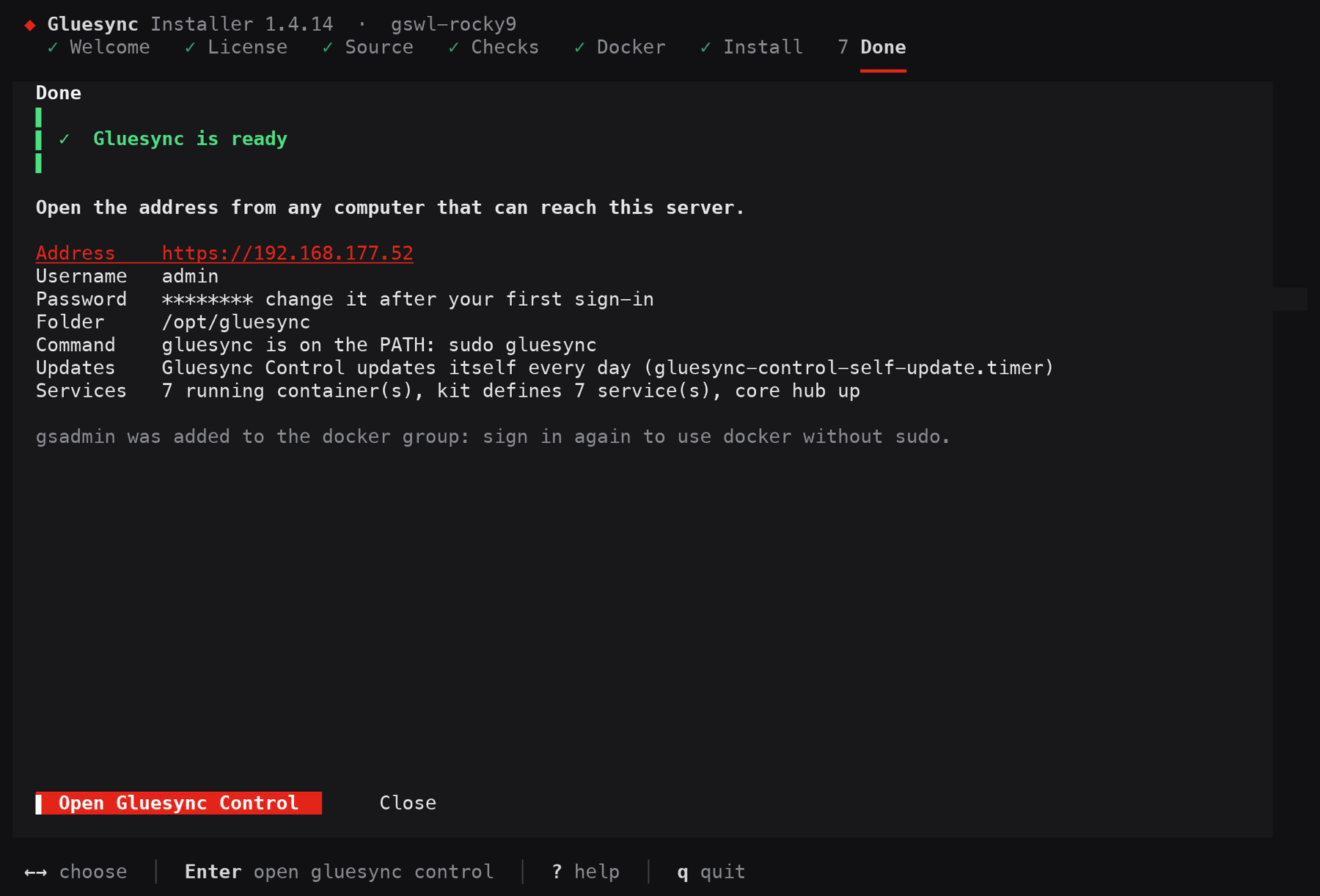
A default installation publishes these ports on the server. Gluesync Control prints the address of the Control Plane when it finishes.
| Port | Direction | What it is for |
|---|---|---|
|
Inbound, from the people and systems that use the Control Plane and its API |
The Control Plane, the REST API, Grafana ( |
|
Inbound |
The reverse proxy, which answers with a redirect to HTTPS |
|
Inbound, only if you use Query Forge |
The JDBC endpoint of Core Hub for BI tools ( |
|
Inbound, only for administrators |
Portainer, the optional container management console of the kit |
Source and target databases |
Outbound, from the server |
The ports of your databases (for example 5432 for PostgreSQL). Test them from the server before you build a pipeline |
Port 1717, which the services use between themselves, stays on the Docker network and is not published. You do not open it.
The server needs outbound HTTPS (port 443) to these hosts for an online install and for updates:
-
Docker:
hub.docker.com,www.docker.com,registry-1.docker.ioand, on Ubuntu, Debian, Fedora and the Red Hat family,download.docker.com; -
MOLO17:
molo17.com(the kit and Gluesync Control) andapi.backoffice.molo17.com(the version catalog); -
github.com, only on openSUSE and Amazon Linux when Docker Compose is not installed yet.
The full allowlist, including the optional hosts for support logs and AI providers, is in System requirements.
|
Do not rely on |
CLI
There are two ways to run the installer. Both start with the same command, which downloads Gluesync Control, checks it against the MOLO17 catalog and runs gluesync install. Telemetry is anonymous install data sent to MOLO17; GLUESYNC_TELEMETRY=0 turns it off.
Guided screen. In a terminal, run:
curl -fsSL https://molo17.com/gs-content/utils/docker-installer.sh | sudo env GLUESYNC_TELEMETRY=0 bash-
On Welcome, select Continue;
-
On License agreement, tick I accept the license terms (Space), then select Continue;
-
On Source, select Online;
-
Type your kit ID and press Enter;
-
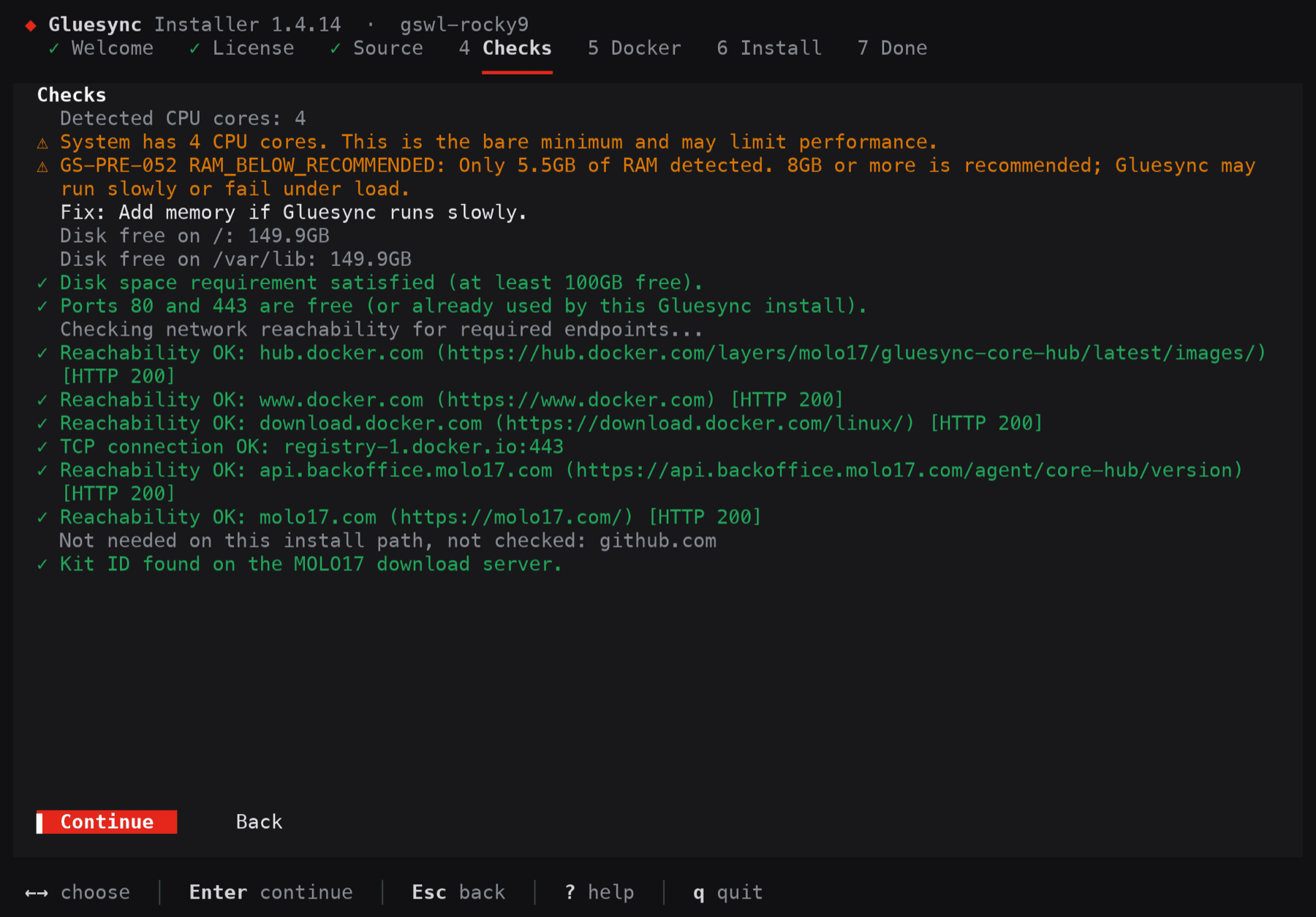
On Checks, read the findings, then select Continue. Warnings do not stop the install;
-
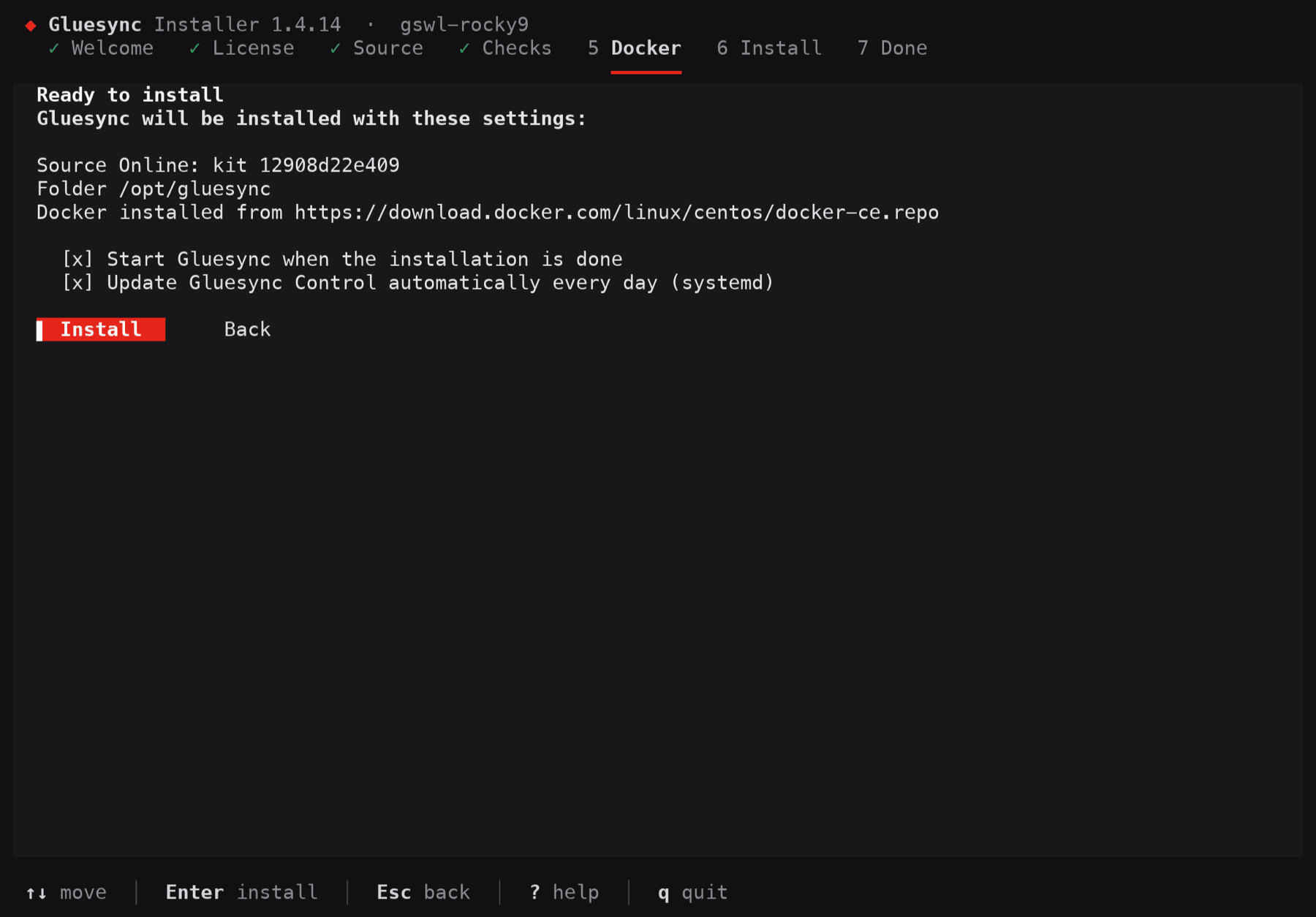
On Docker, read the commands that will run, then select Continue;
-
On Ready to install, keep Start Gluesync when the installation is done ticked, then select Install.
Unattended. For a script, cloud-init or an SSH session without a terminal, pass the answers as variables. Nothing is asked:
curl -fsSL https://molo17.com/gs-content/utils/docker-installer.sh | sudo env \
  GLUESYNC_KIT_ID=<your kit ID> GLUESYNC_START=y \
  GLUESYNC_TELEMETRY=0 GLUESYNC_NONINTERACTIVE=1 bash
To accept a soft block such as busy ports, add GLUESYNC_ACCEPT=GS-PRE-040. A hard block cannot be accepted.
|
The online install gives you the Core Hub version that your kit names. A kit created before the latest release can name an older version: the lab kit named 2.2.11.12 while 2.3.1.1 was current. After the install, run |
CLI
Use this when the server cannot reach the internet. You copy the files to it, and the installer sends nothing and downloads nothing.
-
On a computer with internet access, download these files from Get Gluesync - offline downloads and copy them to one folder on the server (a USB drive or an approved file transfer): the platform package
gluesync-platform-linux-<amd64|arm64>-<version>.tar.gz(about 3.8 GB), your kit<kit ID>-trial-kit.zip, anddocker-installer-linux-offline.sh. With a kit made before October 2026 also copygluesync-linux-<amd64|arm64>fromhttps://molo17.com/gs-content/utils/; -
On the server, install Docker Engine and Docker Compose from your own package mirror, and start Docker. The offline install does not install Docker, and stops at once with
GS-RUN-102when it is missing; -
Run the script from the folder, with
sudo:chmod +x docker-installer-linux-offline.sh sudo env GLUESYNC_START=y ./docker-installer-linux-offline.sh
The Core Hub version of an offline install is the version of the package, not the one of the kit: the installer rewrote the seven image tags of the old kit to the versions in the package. Offline updates later use the gluesync-update-linux-<arch>-<version>.tar.gz package, see Offline installation and updates.
UI
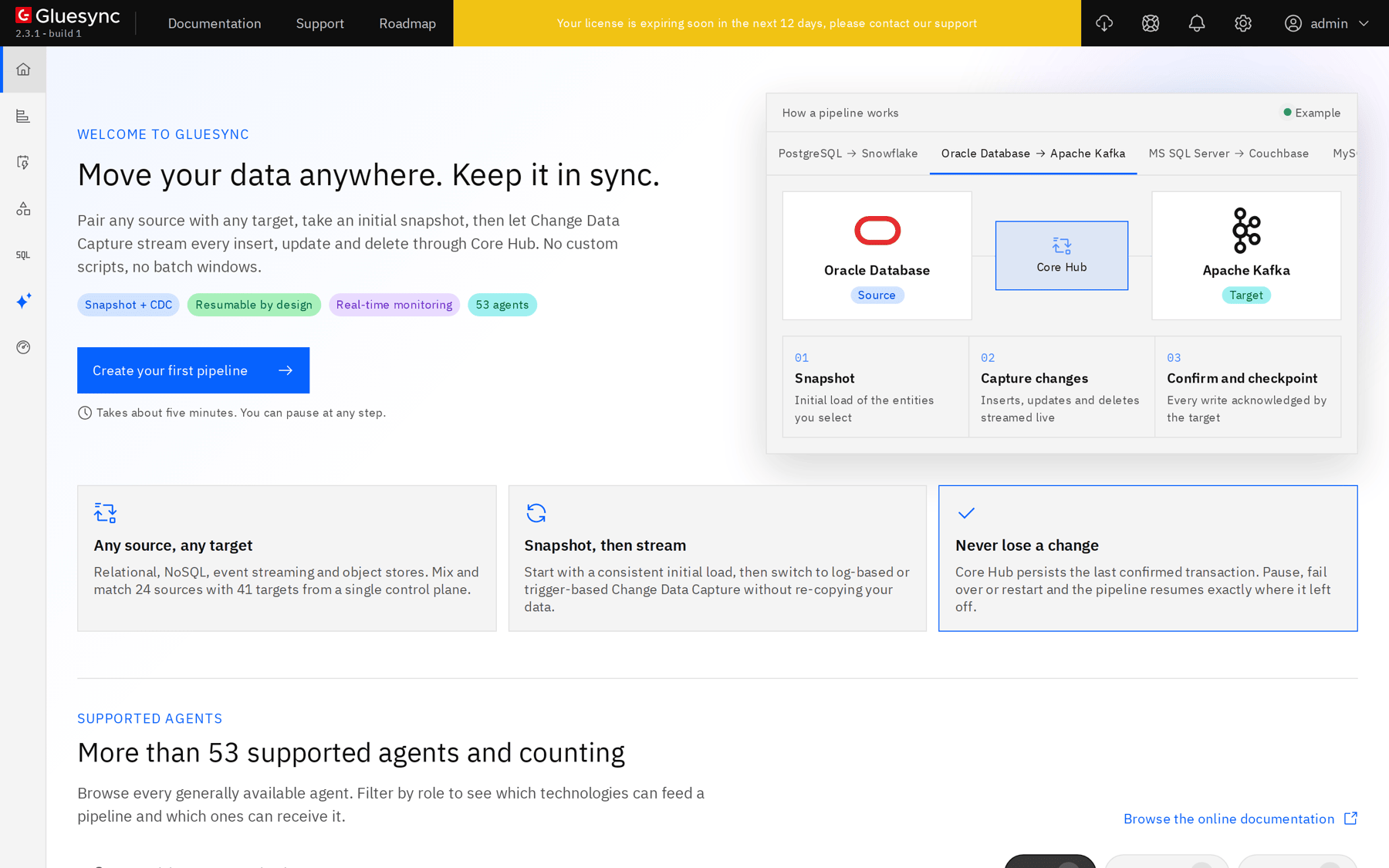
-
From a computer that can reach the server, open
https://<server address>. The browser warns about the self-signed certificate: continue, or install your own certificate later (see HTTPS and secure WebSockets); -
Sign in with the user name and the password that the installer printed (the default account is
admin); -
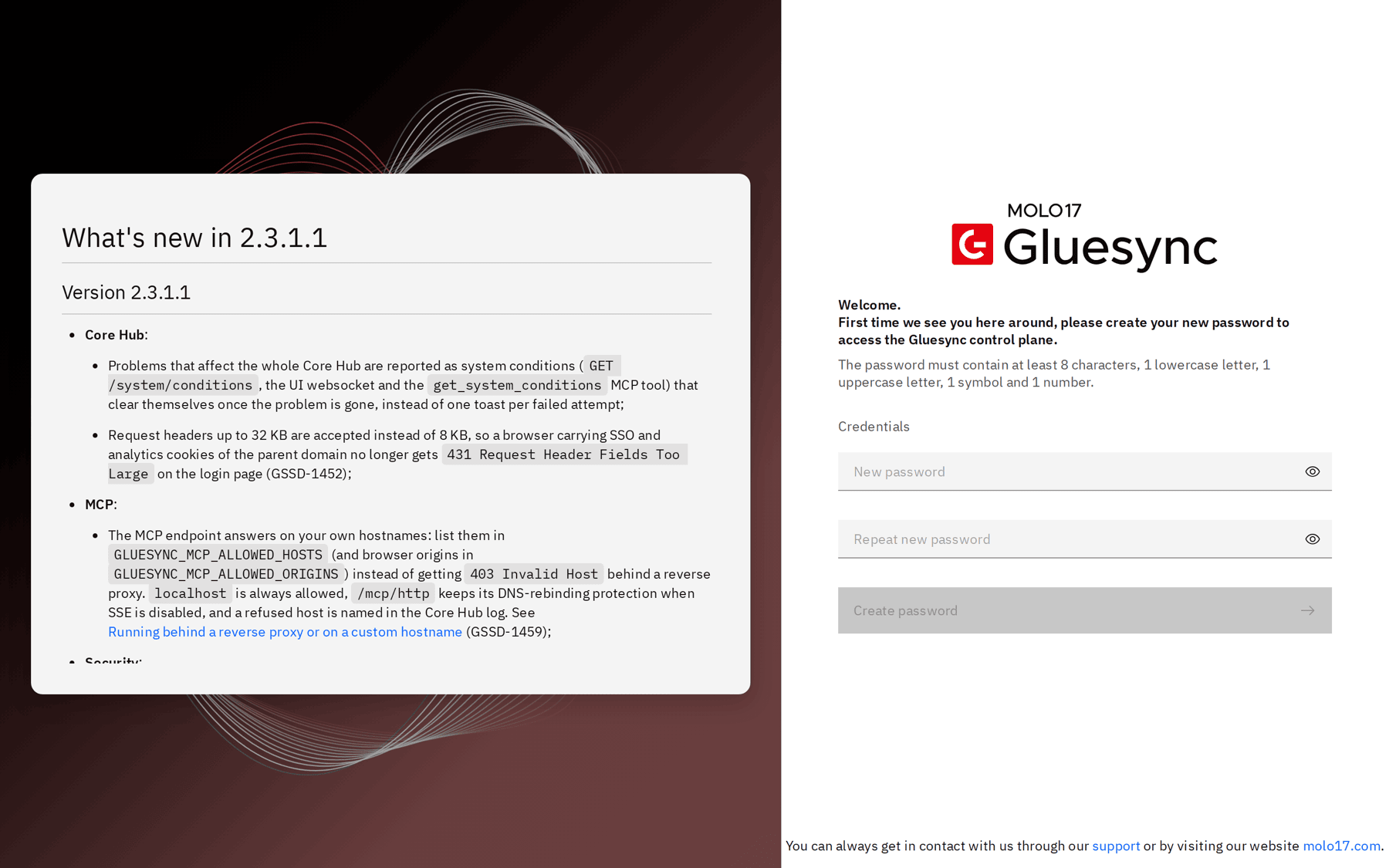
When the Control Plane says "First time we see you here around, please create your new password", enter a new password twice (at least 8 characters, with a lowercase letter, an uppercase letter, a symbol and a number) and select Create password;
-
Sign in again with the new password.
Back on the server, check the services:
sudo gluesync statusGluesync : Running, version 2.3.1.1 (amd64)
Services : 7 of 7 running
Address : https://192.168.177.51
Docker : running
Folder : /opt/gluesyncgluesync status exits with 0 when Gluesync runs and 3 when it does not, so you can use it in a monitoring script.
Size the host
Start from the documented minimums, then adjust with the numbers of your own workload. The sizes are the recommendations of System requirements; the last column says what the installer checks.
| Level | What the documentation says | What the installer does |
|---|---|---|
Installer checks |
4 CPU cores and 100 GB of free disk |
Blocks below this ( |
Proof of concept |
8 vCPU, 8 GB of memory (minimum), 100 GB of disk, plus space for Prometheus |
Warns below 8 GB of memory ( |
Production on Docker Compose or Podman |
8 vCPU, 16 GB of memory, 250 GB for |
Does not check this |
Production on Kubernetes with high availability |
3 nodes, see the Kubernetes rows of the requirements page |
- |
The documentation does not say how the numbers grow with the number of pipelines, so here is what was measured on a lab server with 4 vCPUs and 5.5 GB of memory, running Gluesync 2.3.1.1 with PostgreSQL pipelines of one entity (200 rows) each, and one of them receiving about one change per second:
| What | 1 pipeline | 10 pipelines | Note |
|---|---|---|---|
Core Hub memory (the container that runs the agents) |
about 460 MiB |
about 1.49 GiB |
Memory of the Java process grows while it warms up. It stayed at 1.49 GiB for the 10 minutes after the last pipeline was created. About 110 MiB for each extra idle pipeline |
Core Hub CPU, steady state |
about 15% of one core |
about 5% to 70% of one core |
Peaks above 100% of a core while pipelines start and take their snapshot |
Other six containers together (proxy, Prometheus, Grafana, Chronos, Conductor, Portainer) |
about 440 MiB |
about 440 MiB |
Grafana is the biggest, about 170 MiB |
Whole server, memory in use |
1.9 GB |
2.9 GB |
With the operating system and Docker |
On disk:
-
The seven images of Gluesync 2.3.1.1 are 10.4 GB. After the first online install the used space went from 6.8 GB to 26 GB (for the 2.2.11.12 kit), because Docker keeps the compressed layers and the unpacked ones. Plan about 20 GB for the images of one version, and room for a second version during an update (
gluesync updatereports about 4.7 GB of extra disk for a Core Hub plus modules update); -
/opt/gluesyncitself stayed small: 13 to 16 MB for the data folder with 10 pipelines; -
Logs and metrics grow with use. Prometheus keeps 5 days or 5 GB by default (
--storage.tsdb.retention.timeand--storage.tsdb.retention.sizeindocker-compose.yml). Log retention is under Settings → Support; -
A source agent keeps the changes it has not delivered in its change cache, on its working volume. Put that volume on local SSD storage and leave room for the backlog you expect while the target or Core Hub is unreachable. See How Gluesync works. This was not exercised in the lab.
|
For a first estimate, take the Proof of concept row for up to a few pipelines, then watch |
The 8 GB memory minimum stays the minimum: the lab server worked with 5.5 GB for the loads above, which is a measurement and not a supported size.
Troubleshooting
| Problem | Possible cause | What to do |
|---|---|---|
A Core Hub container restarts again and again, or |
The CPU has no AVX2 and the default image is in use |
Use the |
|
Less than 100 GB is free on |
Free space, or move Docker’s |
|
Another program listens on port 80 or 443 |
Stop it, or run the installer with |
|
The server cannot reach Docker or MOLO17 over HTTPS, often because of a proxy |
Open the hosts of Open the ports and the outbound access. With |
|
Docker or Docker Compose is not installed or not running |
Install and start them, then run the script again |
Another computer cannot open |
A firewall in front of the server blocks port 443 |
Open 443 in the network or cloud firewall. A host firewall such as |
Related guides
Contact MOLO17 Support if you need assistance with installing or sizing Gluesync on Linux.