Keep a pipeline running when one entity is rejected
An entity can stop matching its source table: a column it maps is dropped, or the table is re-created with another layout. When the agent loads the entities of a pipeline, Gluesync checks each one. An entity that fails a check is rejected on its own, with a notification that says what to fix, and the other entities of the pipeline start as usual. This guide breaks one entity of a two-entity pipeline on purpose, reads the rejection, fixes the mapping, and brings the entity back without touching the other one.
In this guide
You will learn what happens to a running pipeline when a mapped source column disappears, how a restart turns that into the rejection of one entity, how to read the rejection in the pipeline, on the entity and in the notifications, how to align the field mapping with the table, and how to start the entity again so it catches up from its checkpoint.
The steps were run on IBM i 7.4 as the source and MariaDB 11.4 as the target.
Quick information
Goal |
Bring a rejected entity back to Active while the rest of the pipeline keeps replicating |
Audience |
Operators and data engineers who run pipelines in the Control Plane |
Level |
Intermediate |
Time required |
About 20 minutes |
Area |
Control Plane → Pipelines → entity; Notifications |
Applies to |
Gluesync 2.3 |
Before you begin
Make sure that:
-
A pipeline has at least two entities, and you can edit and start them. In this guide the pipeline is IBMiToMariaDB, with the entities
GSRJSRC.CUSTOMERSandGSRJSRC.ORDERS, both Active; -
You can run SQL on the source and the target, to reproduce the problem and check the result;
-
You can restart Core Hub, or wait for its next restart, if you reproduce the rejection on a test system.
|
An entity is checked when the agent loads its entities, for example when Core Hub starts. Until then, a running entity that no longer matches its table fails while it reads, as the first step shows. |
Guide steps
SQL
Skip this step if you are fixing a real rejection. On a test library, re-create the table of one entity without a column that the entity maps, here NOTE, and add a row to each table:
DROP TABLE GSRJSRC.ORDERS;
CREATE TABLE GSRJSRC.ORDERS (
  ORDER_ID    INTEGER NOT NULL PRIMARY KEY,
  CUSTOMER_ID INTEGER NOT NULL,
  AMOUNT      DECIMAL(11,2) NOT NULL
);
CALL QSYS2.QCMDEXC('CHGJRNOBJ OBJ((GSRJSRC/ORDERS *FILE)) ATR(*IMAGES) IMAGES(*BOTH)');
INSERT INTO GSRJSRC.ORDERS VALUES (101,1,1250.00),(102,2,480.50),(103,3,99.90),(104,4,315.00),(105,5,720.00);
INSERT INTO GSRJSRC.CUSTOMERS VALUES (6,'Blu Servizi','Genova');|
On IBM i, |
UI + SQL
-
In the Control Plane, select Notifications;
-
On the target, check whether the new rows arrived:
SELECT MAX(customer_id) FROM customers;
SELECT MAX(order_id) FROM orders;
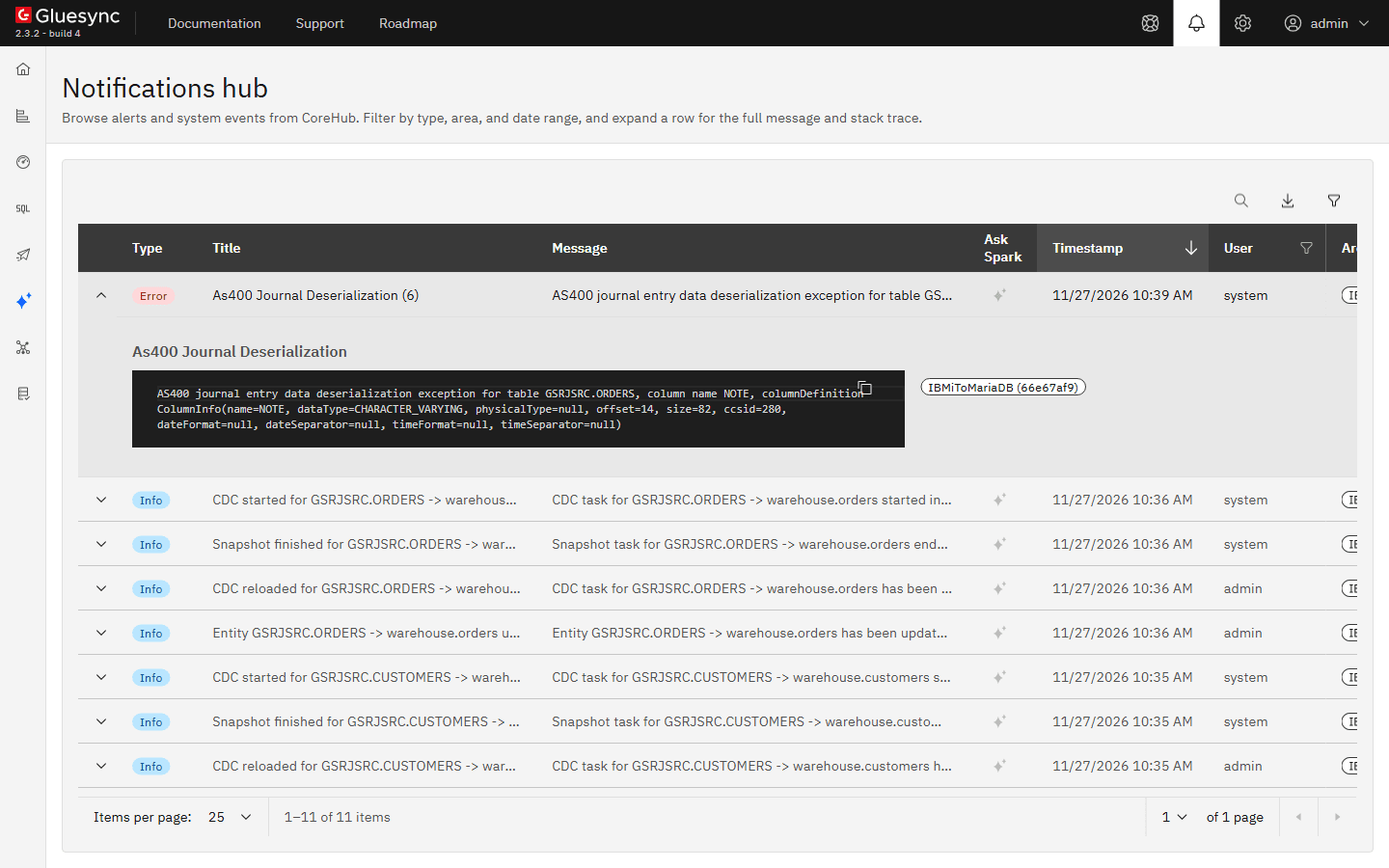
ORDERS with the old column definition.UI
-
Restart Core Hub, or wait for the next time the agent loads the entities of the pipeline;
-
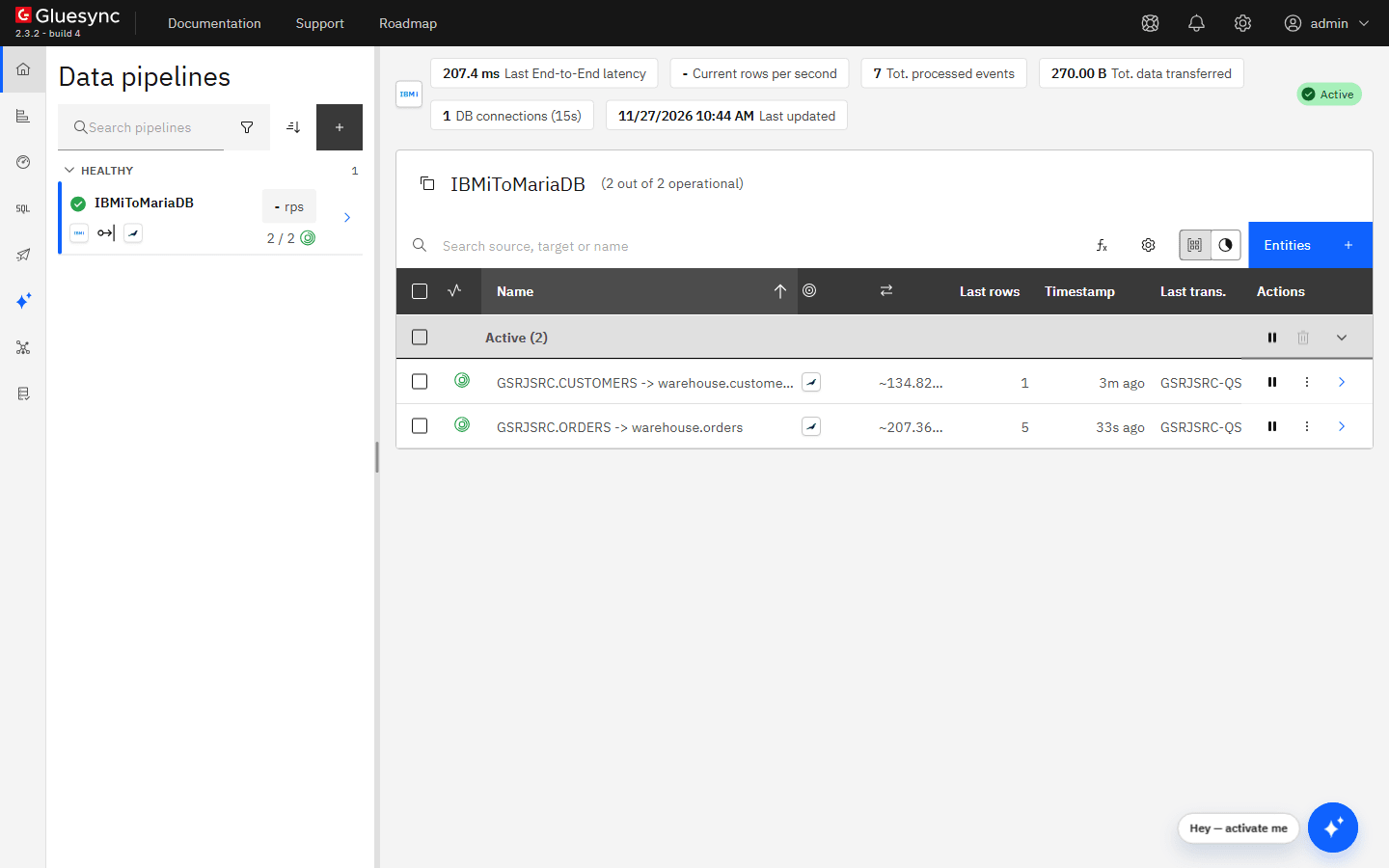
Open the pipeline.
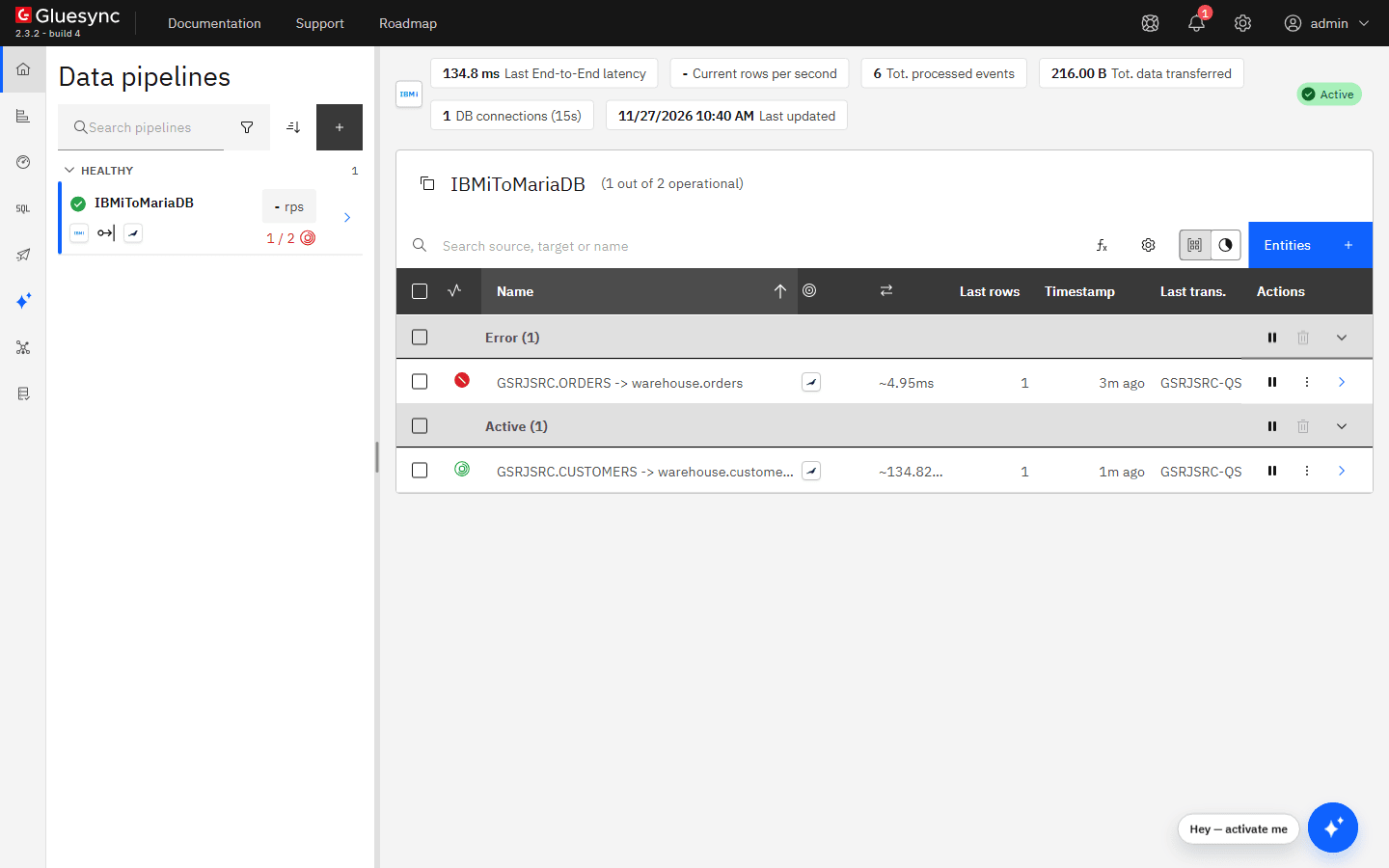
ORDERS is in Error, CUSTOMERS is Active.-
Select the entity in Error. The Pipeline error box and the replication status give the reason.
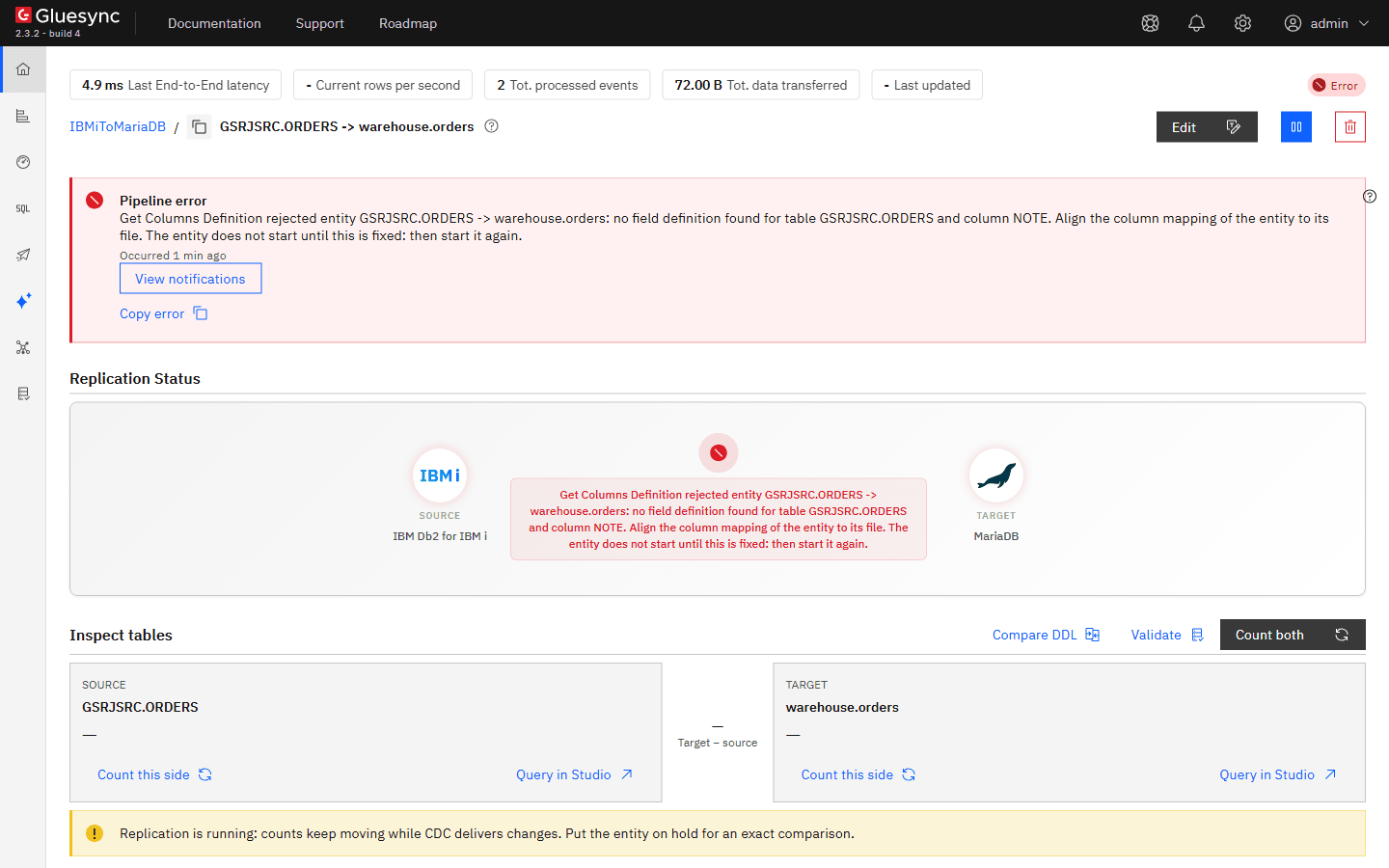
UI
-
On the rejected entity, select Edit. The table is marked Error in field mapping. Please review;
-
Select review. Field mapping opens with the column that disappeared already taken out of the mapping.
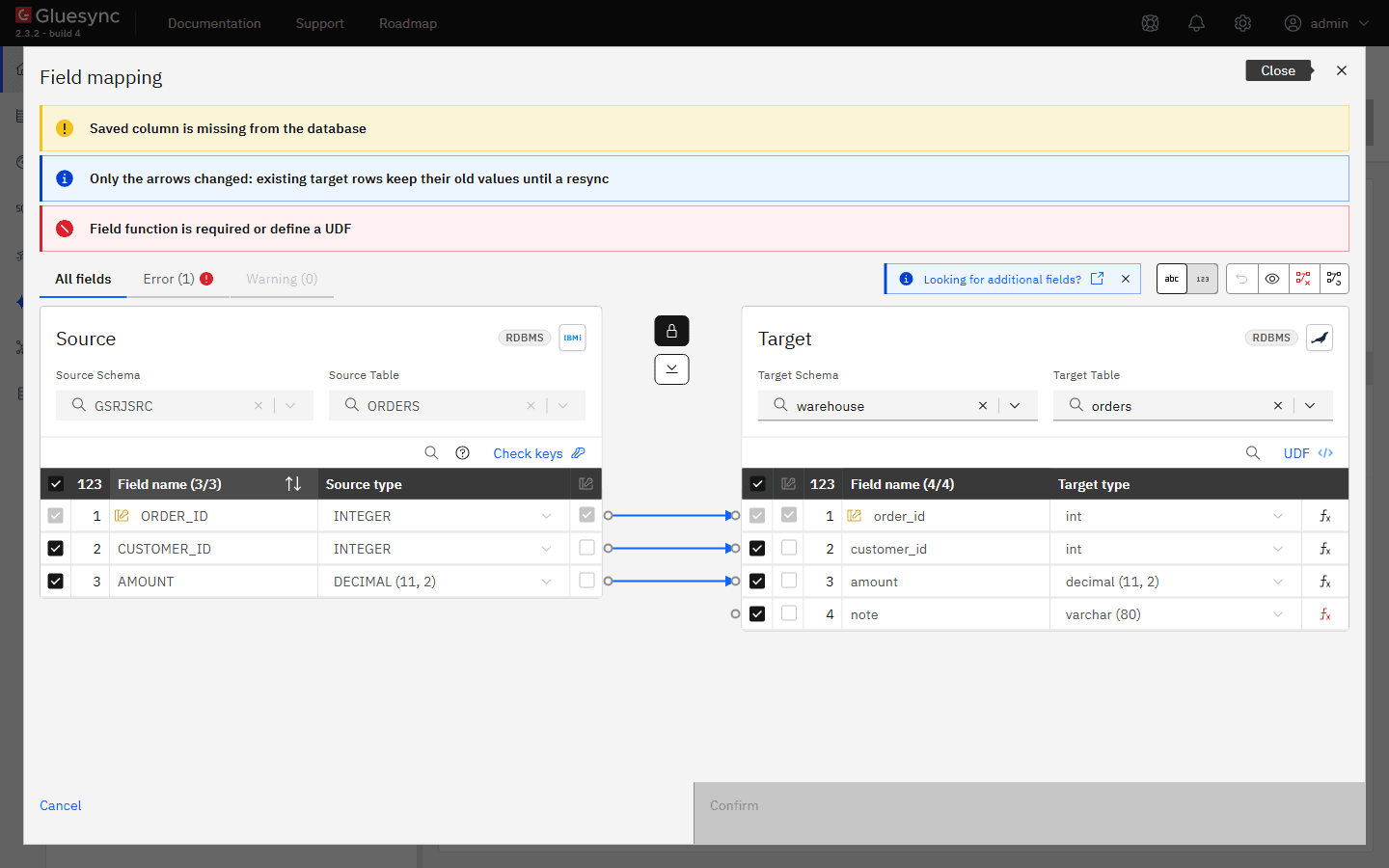
NOTE is gone, and the target column note has no producer left.-
Give every target column a producer, or uncheck it. Here, uncheck
noteon the target: the column stays in the table and keeps the values it has; -
Select Confirm, then Confirm and continue.
|
The banner Only the arrows changed: existing target rows keep their old values until a resync means that the rows already on the target keep their |
UI + SQL
-
On the entity, select Start;
-
Keep Where it stopped: What will happen says the changes made while the entity was stopped are copied first;
-
Select Start entity;
-
On the target, check the table:
SELECT order_id, amount, note FROM orders ORDER BY order_id;
Troubleshooting
| Problem | Possible cause | What to do |
|---|---|---|
Entity rejected by Get Columns Definition: |
The entity maps a column the file no longer has |
Edit the entity, review Field mapping, then start it again. See the steps above |
As400 Journal Deserialization repeats, and the entities of a journal stop receiving changes, though they show Active |
A table of the journal changed under a running entity |
Fix the mapping of that entity as above. The rejection replaces this error at the next restart, and the other entities of the journal resume |
Field function is required or define a UDF after the review |
A target column lost its only arrow |
Draw an arrow to it, give it a field function, or uncheck it |
The entity stays in Error after you saved the fix |
A rejected entity does not start by itself |
Select Start on the entity |
Rows on the target still hold values of the removed column |
Only the arrows changed; existing rows are not rewritten |
Run a Full copy if the target must match the new layout |
|
The data-loss inquiry was answered with the default reply, which cancels the statement |
Re-create the table without the column, as in the first step |