Get Gluesync
Request an installation kit / trial kit
Gluesync evaluation comes with a easy to use kit, a kit is an evaluation package containing everything needed to start your product evaluation; an evaluation kit is composed of:
-
Valid 30-days trial license;
-
License agreement;
-
Readme file;
-
Installer for Docker compose, available for Linux and Windows Server, containing the evrrything needed to start your evaluation;
-
Kubernetes Helm chart containing everything listed here.
An how-to guide to start using the evaluation kit can be found here at this link.
Get your trial kit
To immediately get access to your evaluation copy of Gluesync we invite you to visit our dedicated web page available: Get Gluesync.
There inside you will find a web form where you can specify which source and target connector you would like to evaluate, like it is shown in the screenshot below:
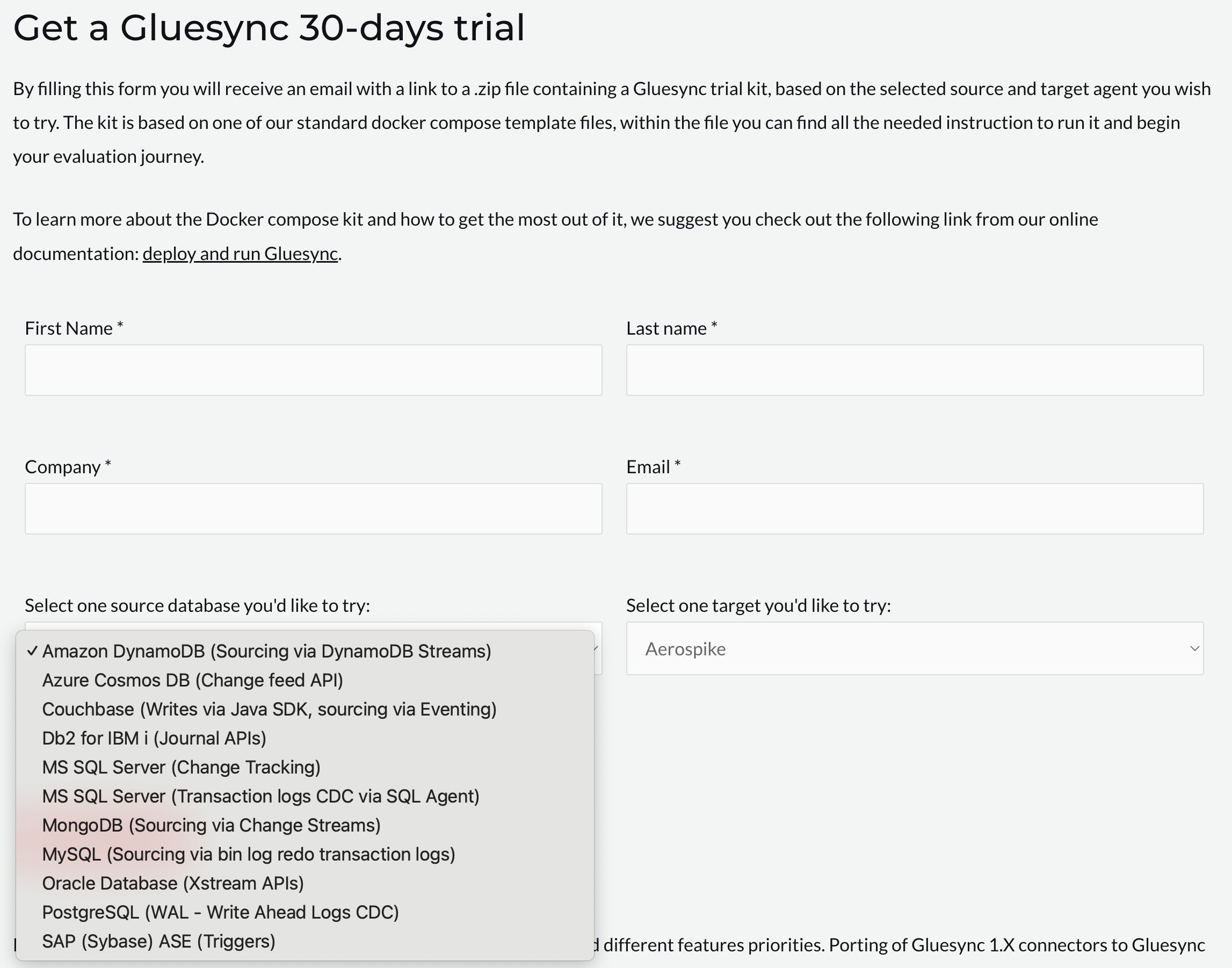
After your trial request has been reviewed our system will elaborate your trial kit and notify you with an email containing the requested package.
Update Gluesync
If you already have Gluesync installed, you can easily update to the latest version either directly from the Control Plane UI or by using your preferred deployment method.
From the Control Plane UI (Modules manager)
When your deployment is managed by Gluesync Conductor (all versions >= 2.1.8), the preferred way to update Gluesync is via the Modules manager in the Control Plane.
From the UI you can:
-
See which platform components have updates available
-
Click Check for updates to have Conductor query for new versions
-
Apply updates by clicking Update on the components you want to upgrade
Modules manager asks Conductor to pull the latest images and restart the affected services, keeping your deployment aligned with the latest stable versions.
Docker Compose deployments
To update/run Gluesync using Docker Compose, you can use the run.sh or run.ps1 script provided with the Gluesync package.
Linux
# Launch Gluesync
./run.sh
Windows
# Launch Gluesync
./run.ps1
Kubernetes
# Ensure your repo is up-to-date
helm repo update

# This will trigger Kubernetes to pull the latest version of images that use the :latest tag or when imagePullPolicy: Always is set.
helm rollout restart molo17/gluesync
Release channels
Gluesync offers three release channels:
-
GA, our stable release channel (by using the
latesttag): Production-ready releases, thoroughly tested and recommended for production environments -
Beta, our preview release channel (by using the
betatag): Preview releases with new features and bug fixes, not suitable for production environments -
Alpha, our unstable release channel (by using the
alphatag): Preliminary releases with new features, not suitable for production environments.