License management
License management in the Control Plane lets you quickly verify your current license, check its expiration, and upload a new license file when needed.
Accessing the licensing tab
To open the license settings from the Control Plane:
-
In the top-left header of the Control Plane, click the button that shows your user name.
-
From the menu, select Settings to open the user settings panel.
-
Move to the Licensing tab.
The Licensing tab displays the current license information and provides controls to upload a new license file.
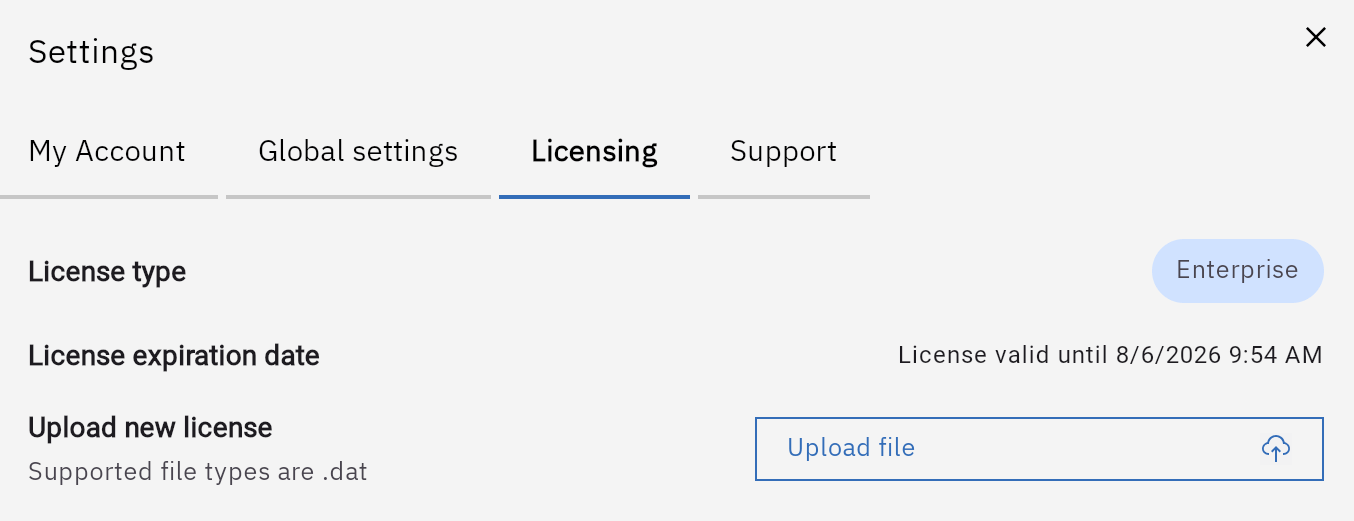
License details
Within the Licensing tab you can view:
-
License type – identifies which license you are running:
-
NFR (Not for Resale)
-
Trial
-
Enterprise
-
Enterprise with Advanced Security
-
-
License expiration date – shows when the current license will expire.
Use these details to verify that the environment is correctly licensed and to plan renewals before expiration.
Uploading a new license file
When you receive a new license from MOLO17, you can apply it directly from the Control Plane:
-
Go to the Licensing tab in the user settings panel.
-
Use the upload control to select the new license file in
.datformat. -
Confirm the upload.
After a successful upload, the page refreshes the license details, including type and expiration date, according to the new license.
| Uploading a new license file from within the Control Plane is only supported on docker-compose deployments. |
License expiration warnings
Gluesync helps you keep track of license status by surfacing warnings when the license is expired or about to expire.
Warnings are displayed in two places:
-
Licensing tab – the license status is highlighted directly in the settings panel, indicating when the license is close to expiration or has already expired.
-
Control Plane header – a warning banner is shown in the top header of the UI so that all users are aware of impending or actual license expiration.
When you see an upcoming expiration warning, request or upload a renewed license file as soon as possible to avoid interruptions to your Gluesync environment.
| If the license expires, you can still access the Control Plane UI, but all pipelines are automatically set to paused state until a valid license is applied. |