Custom document keys for NoSQL targets
Overview
Gluesync allows you to define custom unique document identifiers (IDs) for NoSQL targets, giving you full control over how documents are identified in your target database. This feature is particularly useful when you need to maintain specific document identification patterns or integrate with existing systems.
Key features
-
Compose document keys from multiple source fields
-
Add custom prefixes and suffixes
-
Define custom separators between key components
-
Reorder key components as needed
-
Apply to both new and existing documents
How it works
When enabled, Gluesync will use your custom key template to generate document IDs for all synchronized documents in NoSQL targets. This affects both new documents being created and updates to existing documents.
Configuration
To configure a custom document key:
-
Navigate to the target configuration in the Gluesync Web UI
-
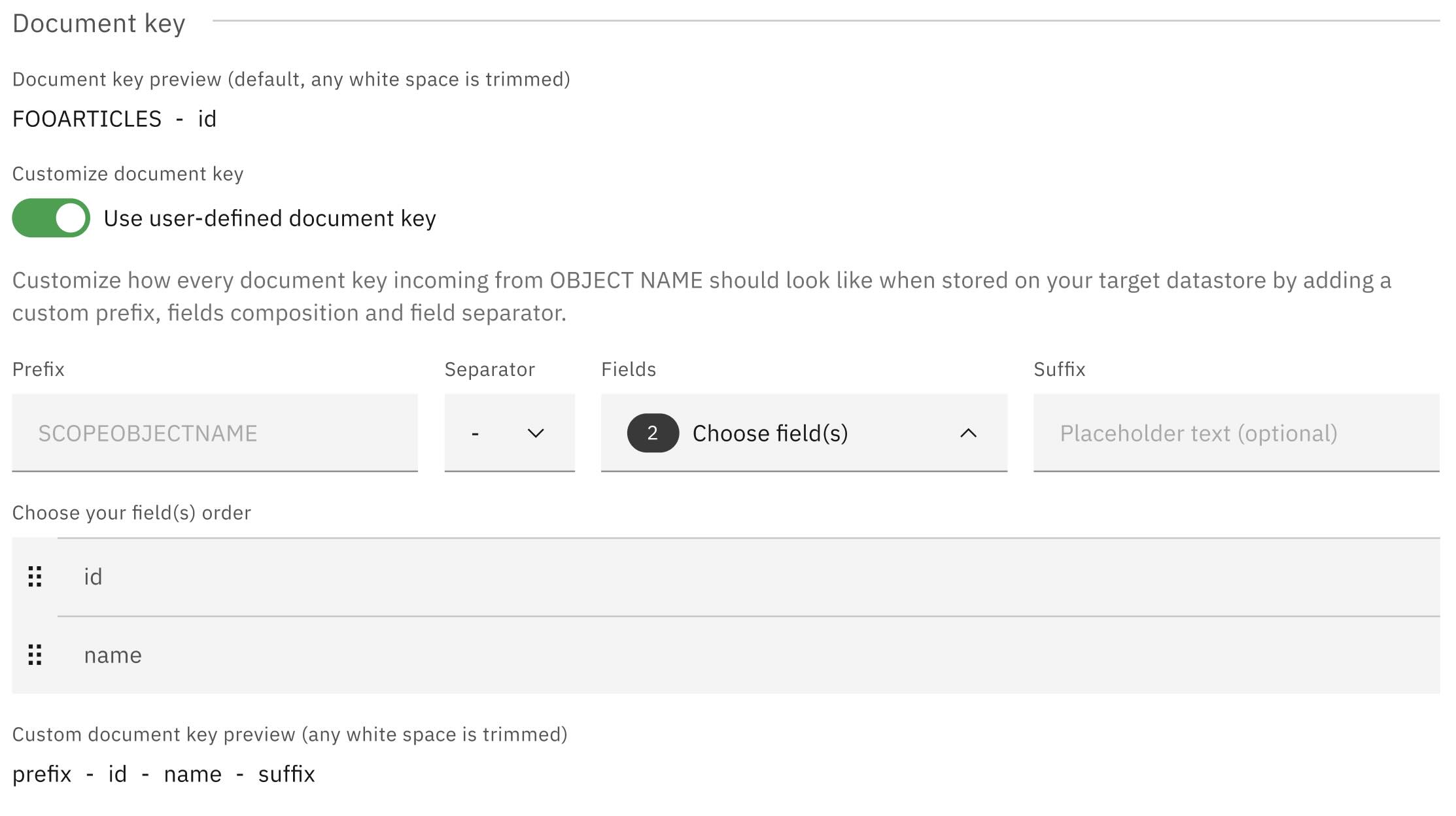
Locate the "Document Key Configuration" section
-
Toggle on the Customize document key option
-
Build your key template using the following components:
| Component | Description | Example |
|---|---|---|
Fields |
Select from available source fields |
|
Separator |
Character(s) to separate key components |
|
Prefix |
Optional text to prepend to the key |
|
Suffix |
Optional text to append to the key |
|
Best practices
-
Ensure your key components will always have values to prevent null keys
-
Keep keys reasonably short for better performance
-
Use separators that don’t appear in your field values
-
Test your key format with sample data before applying to production
-
Consider the impact on query patterns and indexing
Limitations
-
This feature is only available for NoSQL targets
-
Changing the key format for existing data may require a full resync
-
The total key length must be within the target database’s limits