Data Filtering
Data filtering enables granular control over which data gets synchronized, allowing you to define specific criteria so that only rows matching your rules are replicated to the target.
On-the-fly data filtering feature
You can access this feature from the Objects Browser via the Settings dialog. The Settings dialog includes an on-the-fly data filtering feature that enables users to define inclusion rules for incoming data feeds.
|
Filters are inclusive: a row is replicated to the target only if it matches all defined conditions.
|
Filters do not consume resources at source datastore level; they are applied at the Gluesync platform level, after the data is fetched from the source and before it is written to the target.
How to use
Here’s a step-by-step guide to setting up data filtering:
Setup entity
First, choose tables/collections and set up columns for a new entity to replicate
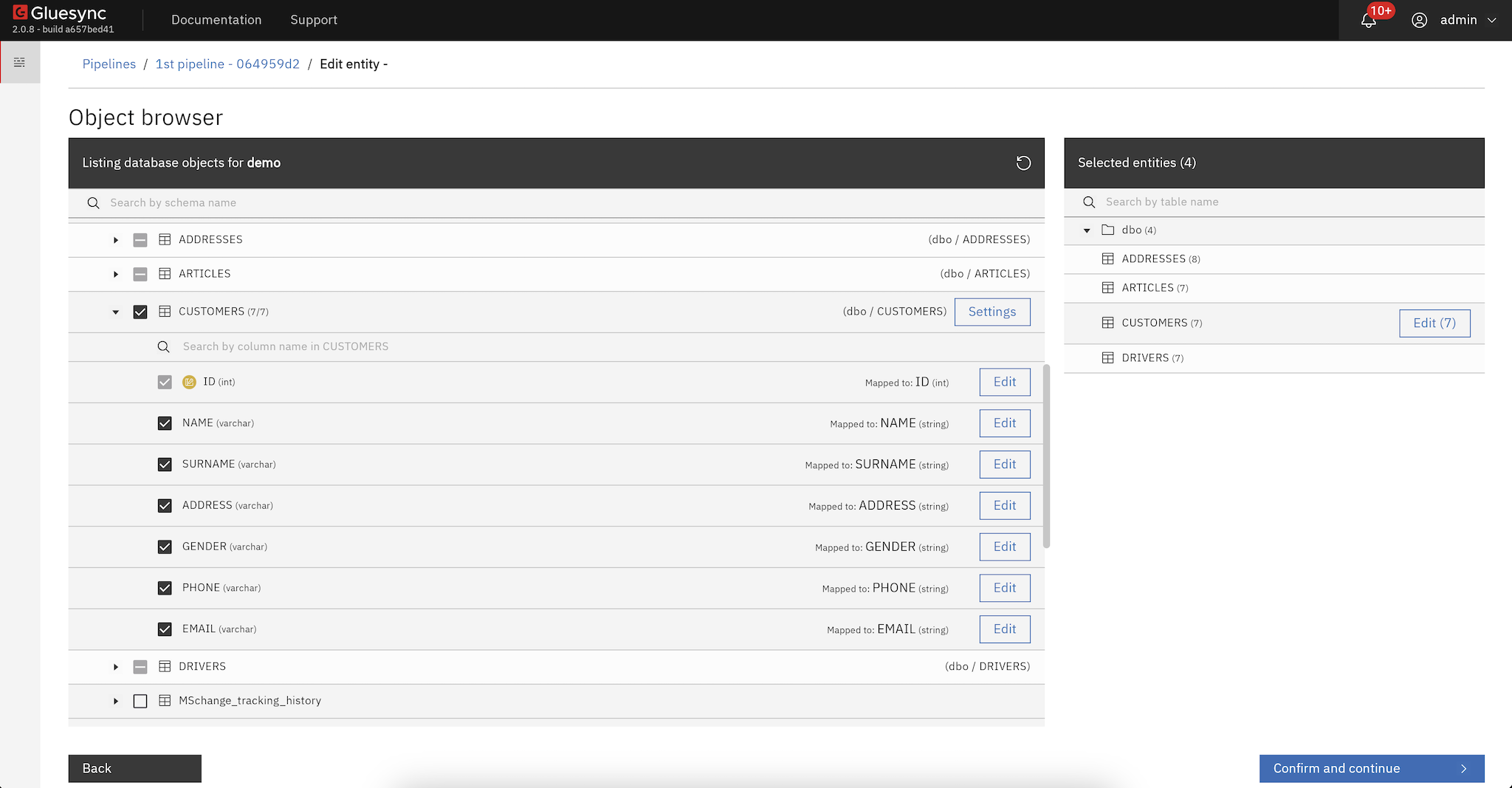
From the Objects Browser, open the Settings dialog and navigate to the dedicated section named Filter out incoming data. This section allows you to define filtering rules.
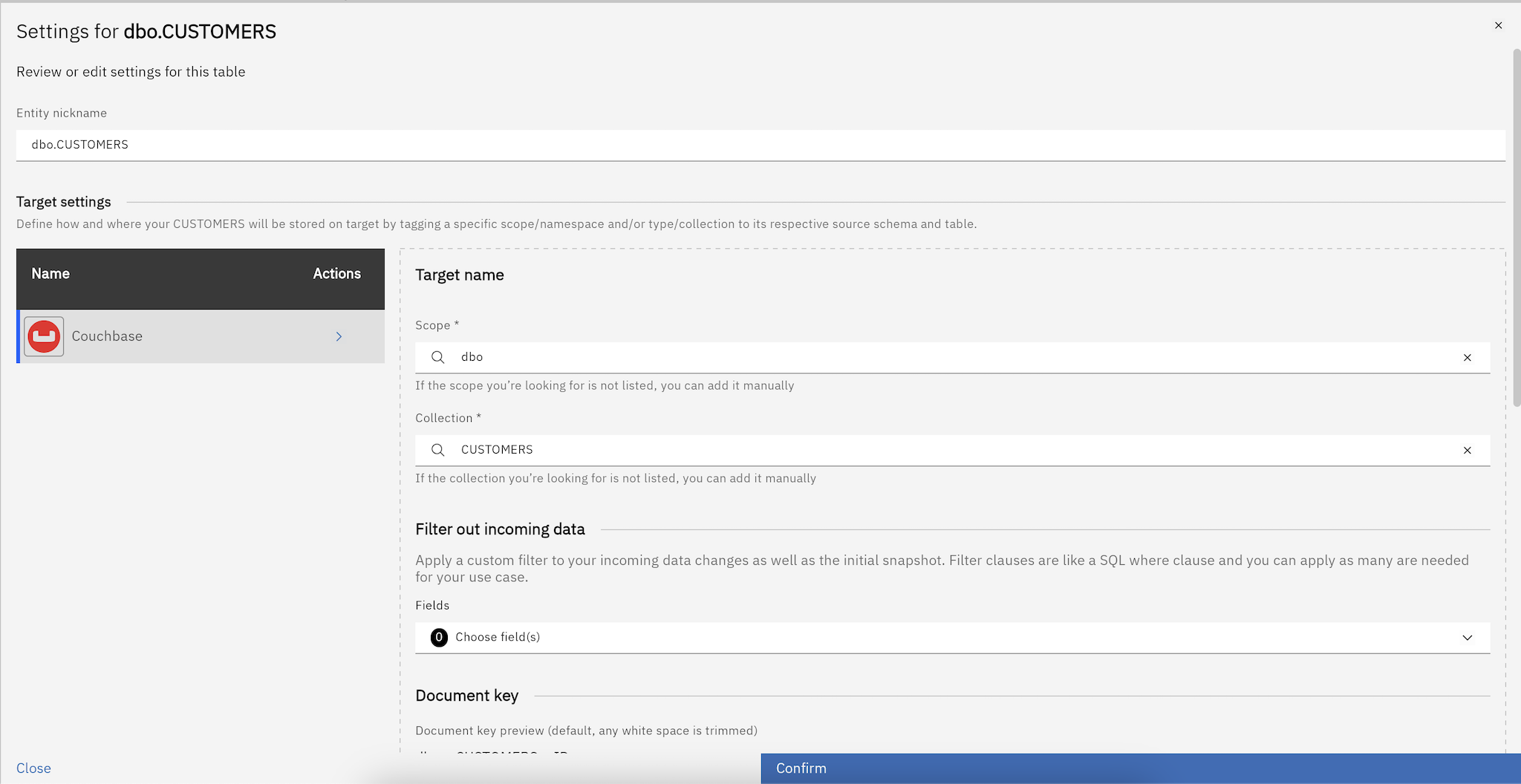
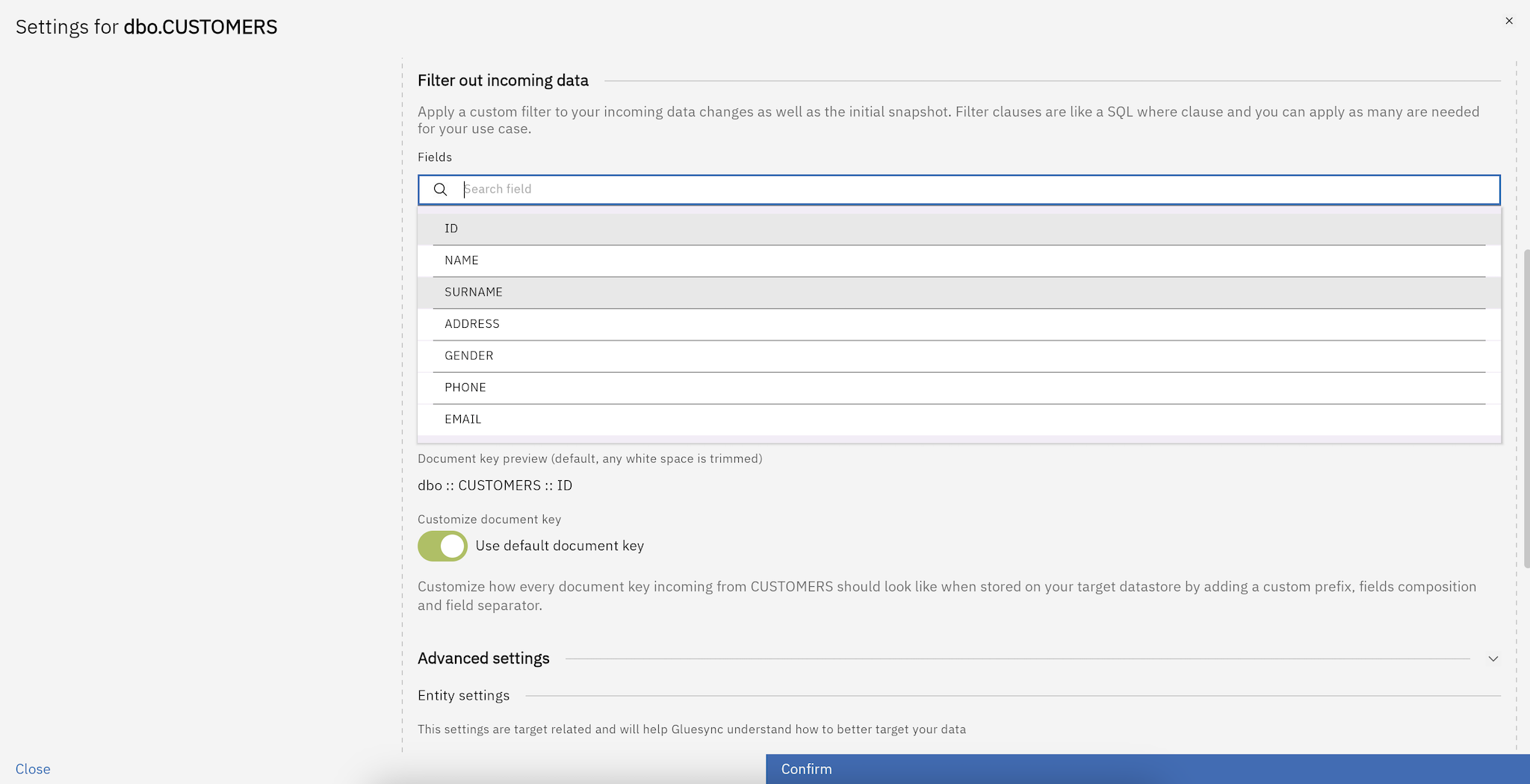
Define filtering operators
For each selected column, you can choose one of the following operators:
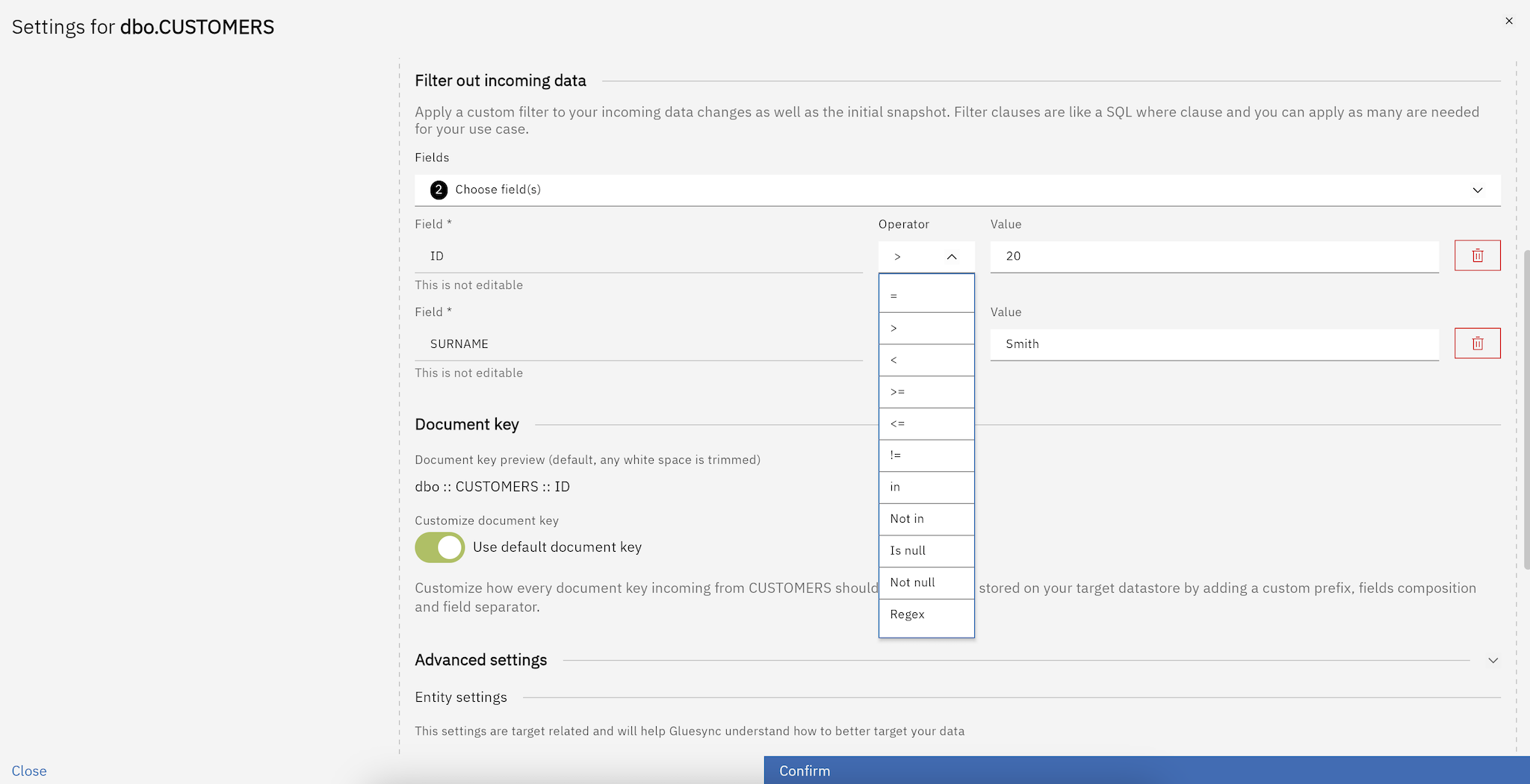
Operator |
Description |
|
Equal to |
|
Greater than |
|
Less than |
|
Greater than or equal to |
|
Less than or equal to |
|
Not equal to |
|
Value exists in a list |
|
Value does not exist in a list |
|
Value is null |
|
Value is not null |
|
Use regular expressions like |
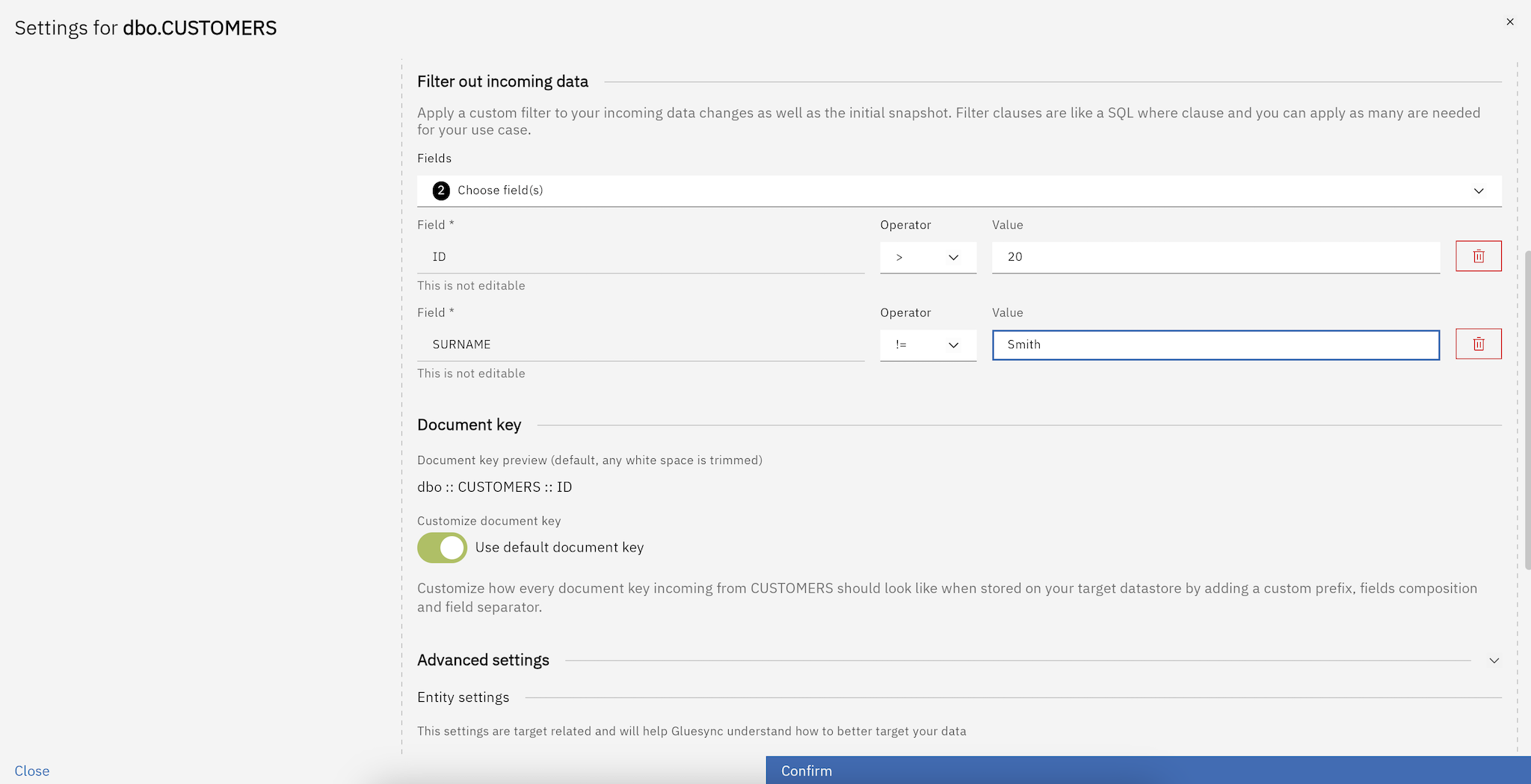
Example use case
Scenario: You want to replicate only records where the ID column is greater than 20.
Steps:
-
Select the
IDcolumn from the dropdown. -
Choose the
>operator. -
Enter
20in the field values section.
With this filter active:
-
Snapshot: only rows with
ID > 20are copied to the target table. -
CDC: changes to rows with
ID > 20are replicated normally. If an existing row is updated so that itsIDbecomes ≤ 20, that row is deleted from the target.
|
The label "Filter out incoming data" in the UI refers to filtering out rows that do not match your condition — not filtering out the rows that do match. Think of it as: "keep only what passes the filter". |
Another example: equality filter
Scenario: You want to replicate only orders where ORDER_STATUS = 1.
-
Select the
ORDER_STATUScolumn. -
Choose the
=operator. -
Enter
1in the field values section.
With this filter:
-
Rows with
ORDER_STATUS = 1are replicated to the target. -
If a row’s
ORDER_STATUSchanges from1to2, Gluesync sends a DELETE to the target for that row. -
New rows inserted with
ORDER_STATUS = 2are ignored entirely.