Get Gluesync
Update Gluesync
If you already have Gluesync installed, you can easily update to the latest version using your preferred deployment method:
Docker Compose
# Update to latest stable version
docker compose pull

# Launch updated version
docker compose up -d
Kubernetes
# Ensure your repo is up-to-date
helm repo update

# This will trigger Kubernetes to pull the latest version of images that use the :latest tag or when imagePullPolicy: Always is set.
helm rollout restart molo17/gluesync|
Gluesync offers two release channels:
|
Request a trial kit
Gluesync evaluation comes with a easy to use kit, a kit is an evaluation package containing everything needed to start your product evaluation; an evaluation kit is composed of:
-
Valid 30-days trial license;
-
Docker compose / Kubernetes manifest containing:
-
Gluesync’s Core Hub;
-
A source agent;
-
A target agent.
-
An how-to guide to start using the evaluation kit can be found here at this link.
Get your trial kit
To immediately get access to your evaluation copy of Gluesync we invite you to visit our dedicated web page available: Get Gluesync.
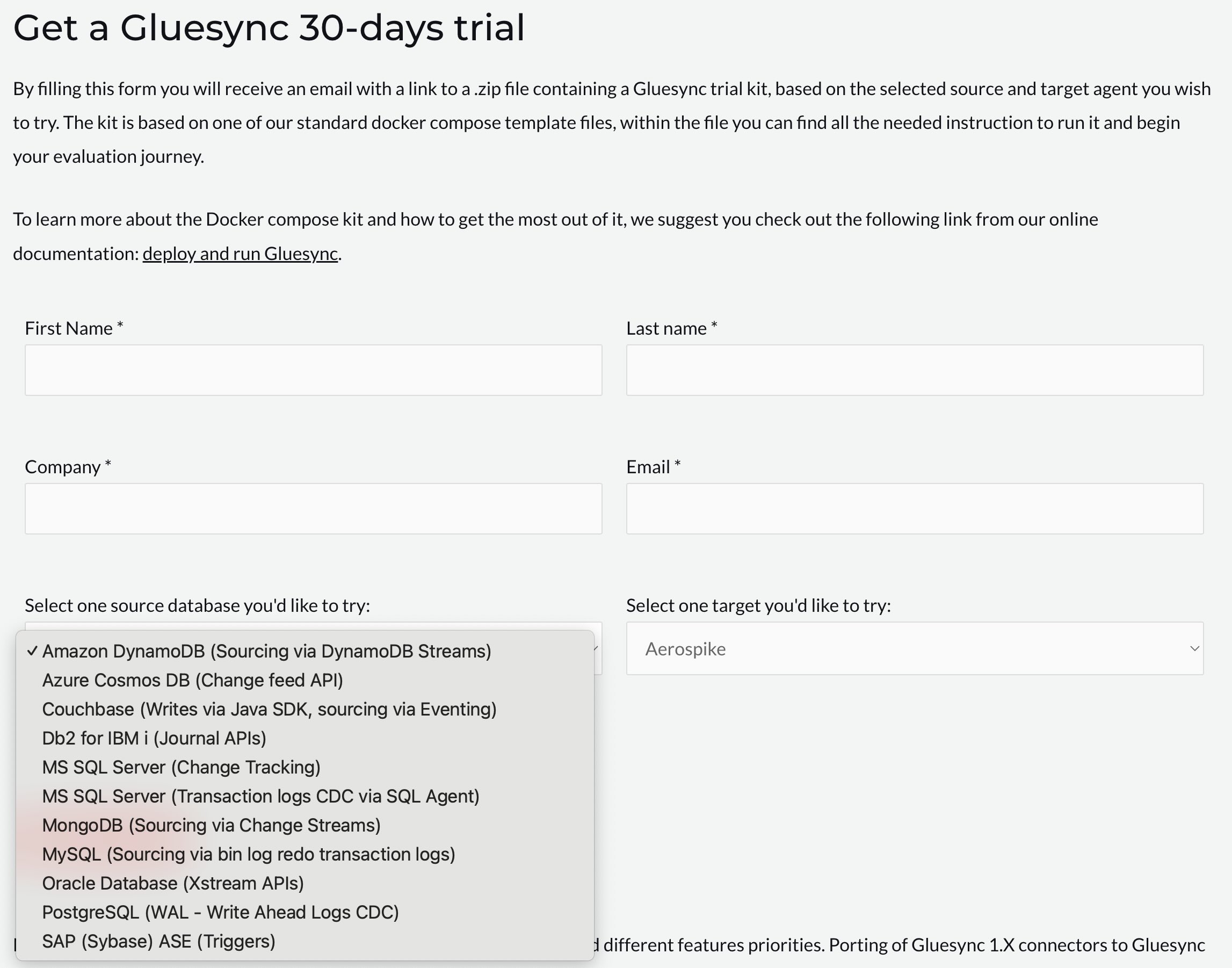
There inside you will find a web form where you can specify which source and target connector you would like to evaluate, like it is shown in the screenshot below:
After your trial request has been reviewed our system will elaborate your trial kit and notify you with an email containing the requested package.