Email alerts
The Gluesync Control Plane lets you configure SMTP-based email alerting without touching any configuration files on disk.
What email alerts do
When important system events occur — pipeline errors, agent health changes, or anomaly detections — Gluesync can dispatch a notification directly to your team’s inbox.
Each email is a rich HTML digest that groups related events by severity, shows the affected pipeline and entity, and includes links to documentation and the support portal.
Where to configure email alerts
Open the Control Plane and navigate to Settings → Notifications → Emails.
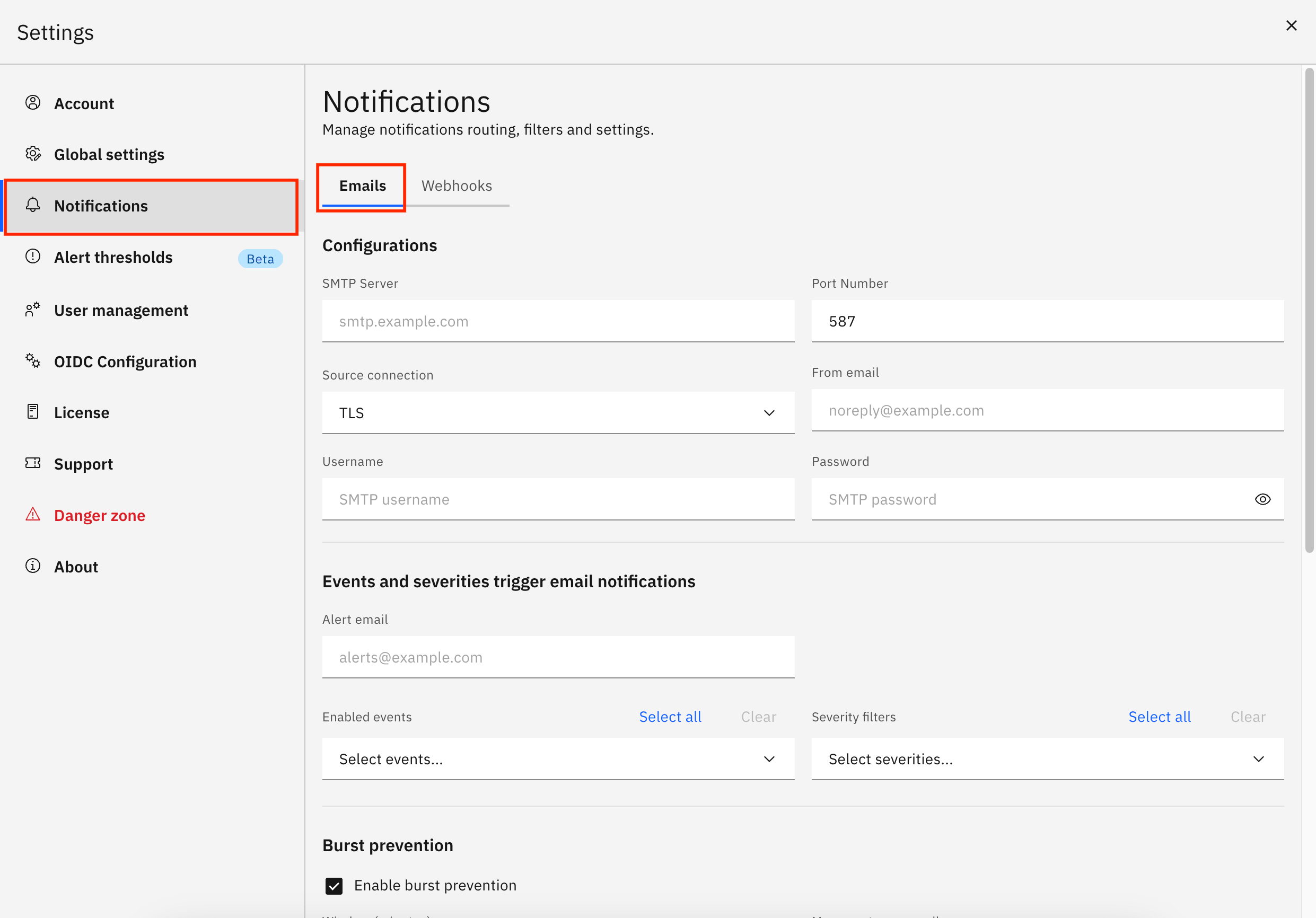
From this screen you can:
-
Set up an SMTP connection — provider hostname, port, secure connection type (TLS, SSL, or none), sender address, and credentials
-
Choose a recipient — the alert email address that receives the digests
-
Filter by events and severity — subscribe only to the event types and severities that matter to your team
-
Enable burst prevention — batch rapid-fire events into a single digest so your inbox is not flooded during incidents
-
Scope to specific objects — restrict alerts to selected pipelines, groups, or entities
-
Send a test email — verify the SMTP connection end-to-end before saving
Related documentation
For a detailed step-by-step configuration guide, see SMTP configuration.
To understand how events are generated and what each severity means, see Alerting overview.