Core Hub webhooks
Gluesync can push real-time event notifications to any HTTPS endpoint via webhooks. Each delivery is a POST request with a JSON payload following the CloudEvents specification.
What webhooks do
Whenever a significant event occurs — a pipeline error, a detected anomaly, or an agent recovery — Gluesync dispatches a structured HTTP POST to every enabled and matching webhook endpoint.
This lets you route events into external systems such as Slack, PagerDuty, Datadog, or custom automation pipelines.
Where to configure webhooks
Open the Control Plane and navigate to Settings → Notifications → Webhooks.
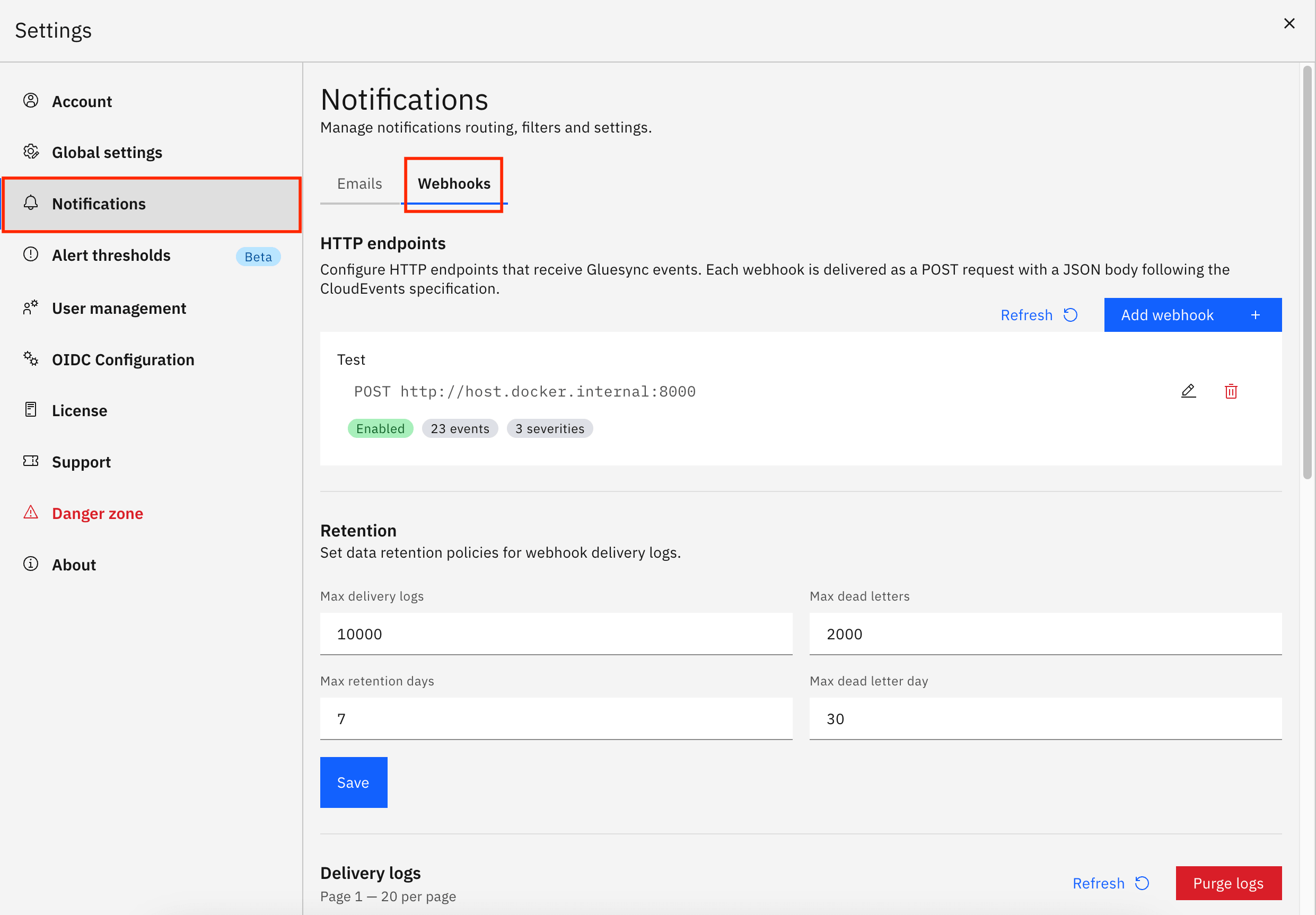
From this screen you can:
-
Create any number of webhook configurations — each one appears as a card showing its status, subscribed events, and selected severities
-
Set endpoint details — name, HTTPS URL, optional description, and enable/disable toggle
-
Authenticate deliveries — add a signing secret so Gluesync sends an HMAC-SHA256 signature header your endpoint can verify
-
Add custom headers — inject static headers such as
Authorization: Bearer <token>on every request -
Filter events — choose which event types and severities each webhook receives
-
Scope to objects — restrict deliveries to specific pipelines, groups, or entities
-
Send a test event — validate the endpoint before saving
Delivery history and dead letters
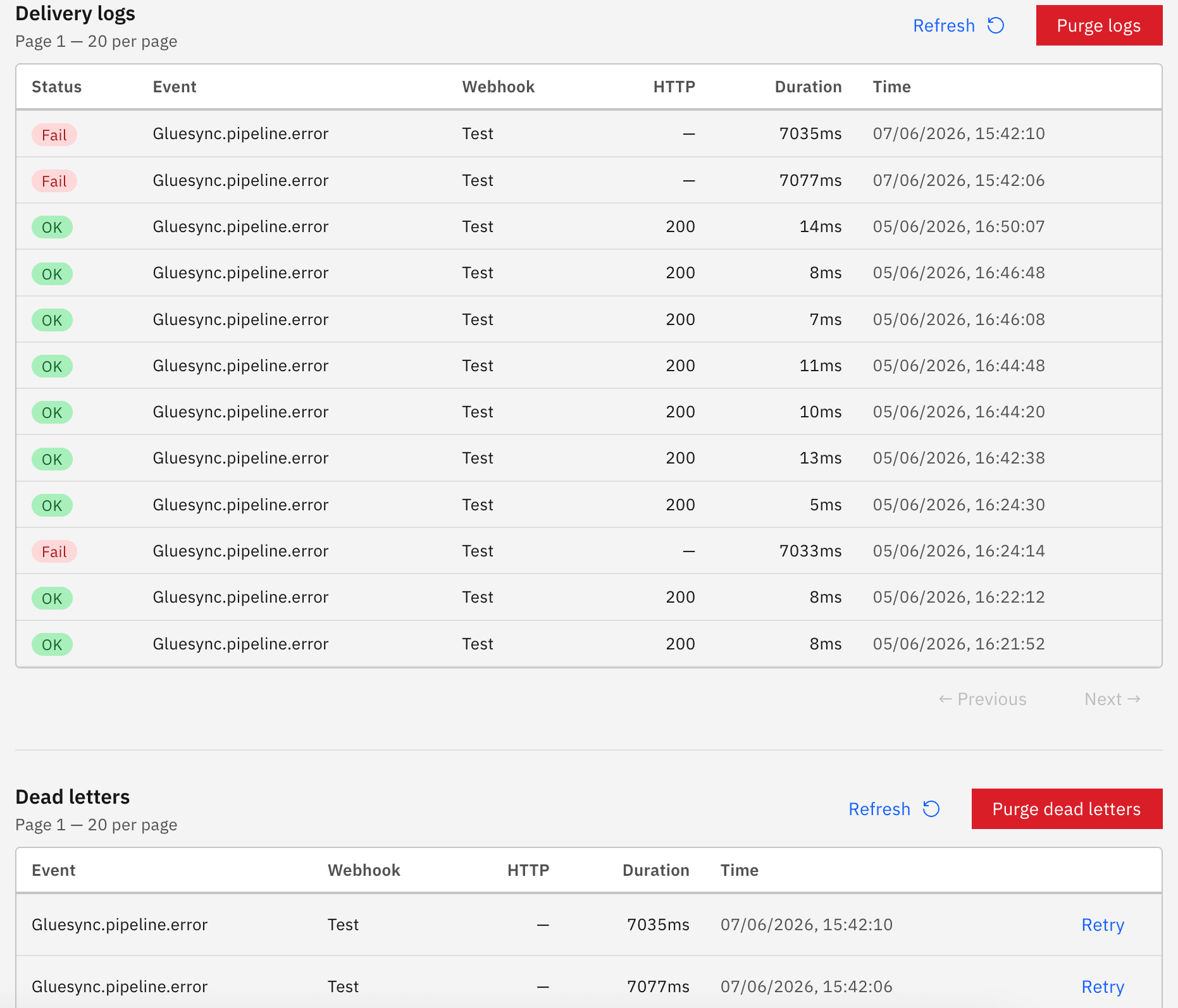
The same screen includes:
-
Delivery logs — a paginated list of every attempted delivery with HTTP status, duration, and timestamp
-
Dead letters — failed deliveries that exhausted retries; individual entries can be retried or the queue can be purged
-
Retention controls — configure how many logs and dead letters to keep, and for how long
Related documentation
For a full configuration guide including event types, severity levels, payload signing, and PromQL overlays, see Webhook alerting.
For an overview of all alerting channels, see Alerting overview.