 MS SQL Server Change Tracking Troubleshooting
Common issues
com.microsoft.sqlserver.jdbc.SQLServerException: Invalid object name 'SYS.SCHEMAS'.
Gluesync checks SYS.SCHEMAS table to verify that the GLUESYNC schema is in place, otherwise, he creates it. This error is thrown when insufficient permissions have been given to the user given to Gluesync. Please check permissions and try again.
IllegalArgumentException: Missing primary keys for entities…
At startup Gluesync checks for the required primary keys definition in defined table(s). This is a mandatory requirement of MS SQL Server Change Tracking. If you haven’t got any PK definition on your tables(s) you can’t proceed further using that connector. Please checkout Gluesync CDC connector for MS SQL Server instead.
The server selected protocol version TLS10 is not accepted by client preferences / TLS handshake failures against legacy SQL Server
This error means Core Hub could not complete a TLS handshake with an older SQL Server that does not speak TLS 1.2 (unpatched SQL Server 2008/2012, or SQL Server 2014 without the TLS 1.2 update). SQL Server 2005 is not supported.
Turn on Force-load deprecated Java ciphers in Control Plane Global settings (section Deprecated Java Ciphers, default off) and save. This allows insecure & deprecated Java cipher suites to be force-loaded on this Gluesync instance and sets GS_LEGACY_TLS=2 on Core Hub. It is process-wide, not per-agent. Use it only on a trusted network.
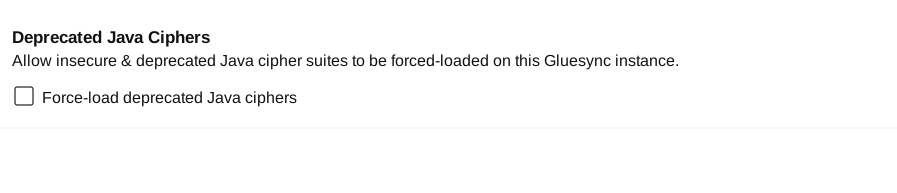
If Docker Compose or Kubernetes, set GS_LEGACY_TLS=2 on the Core Hub container (gluesync-core-hub) and restart it, then retry the connection.
services:
  gluesync-core-hub:
    environment:
      - GS_LEGACY_TLS=2